
50+ new features in 2025 for your website, this year, to help you make more money. Are you using them?

Date: November 1, 2025

|

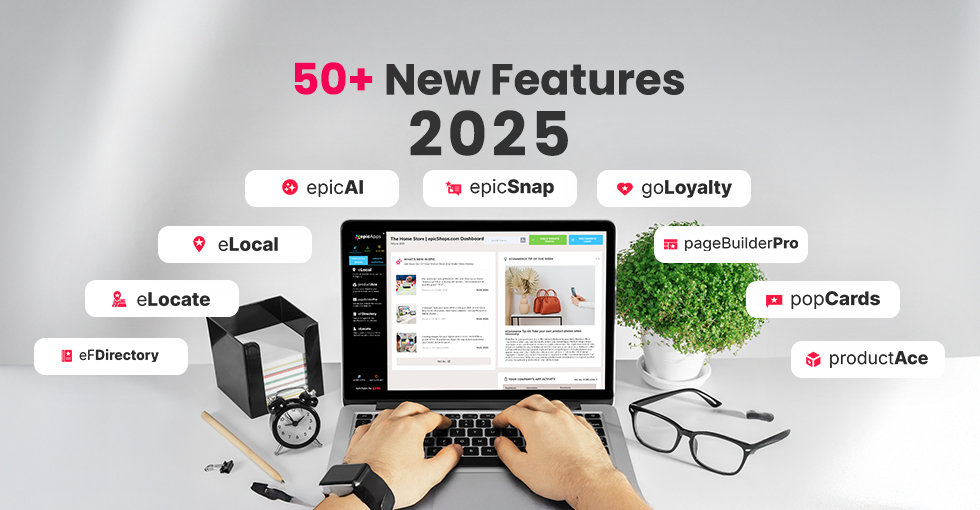
Man accessing the epicApps dashboard on a laptop, with "50+ New Features 2025" text and epicApps logos around the device.
efDirectory

Admin panel for the epicFlowers florist directory
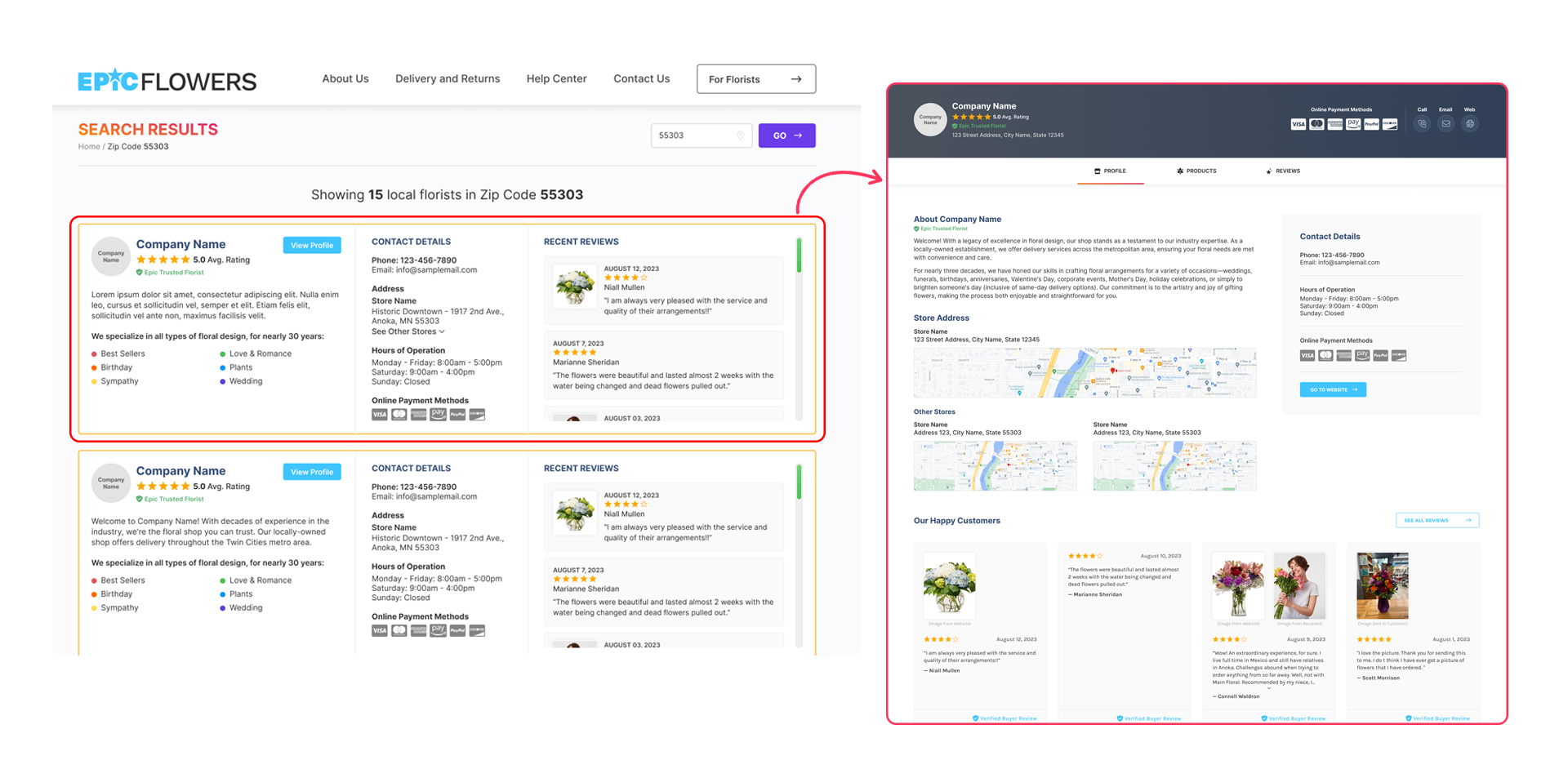
Online florist directory product page from eFDirectory, featuring listings of florists and their available products for purchase.
An online Florist Directory that allows florists to sell from the website. - Early Next Year

This will help with Florists with SEO and one more place online they can sell.

An epicApp eLocal icon
eLocal

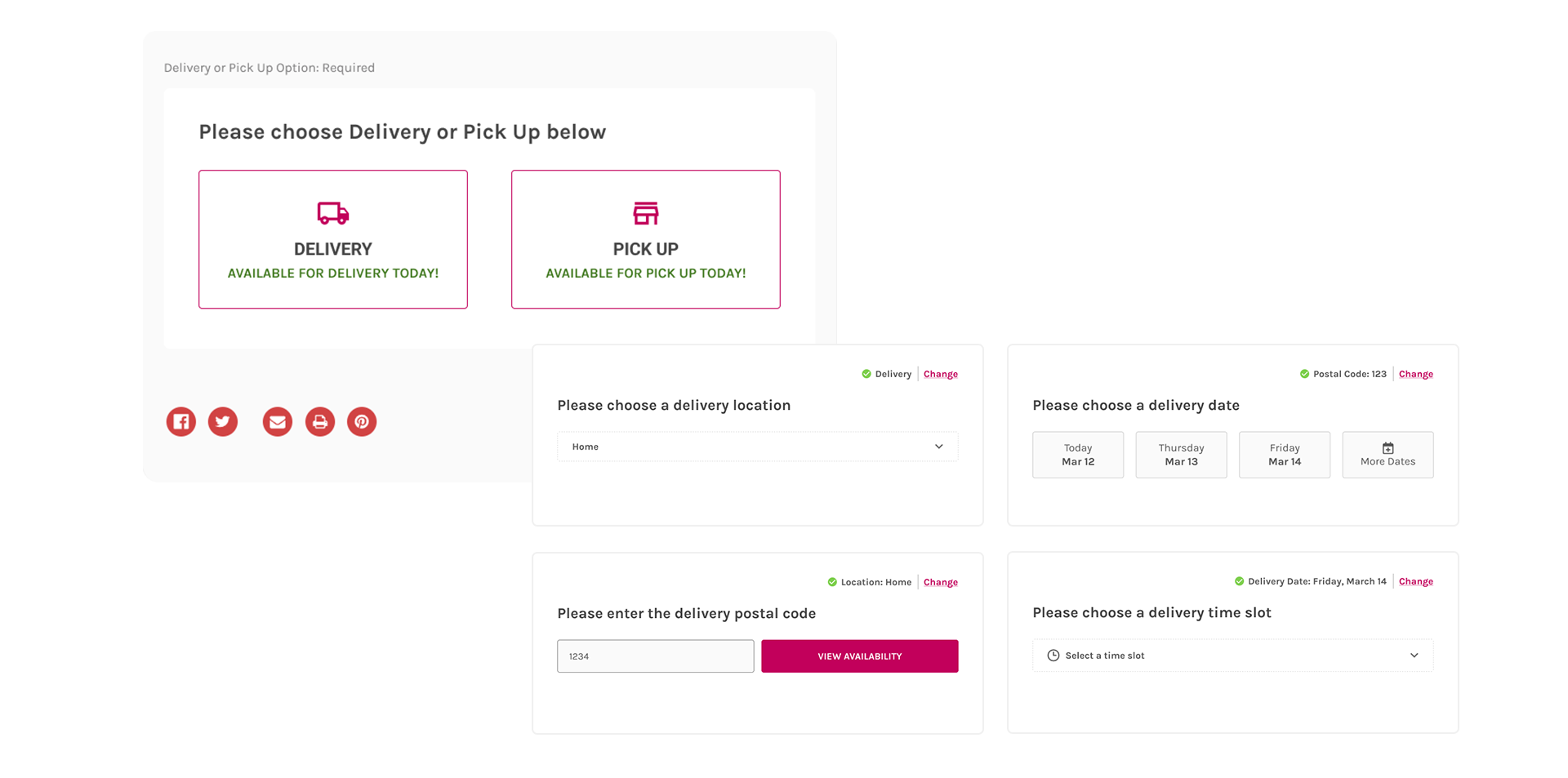
Control all your deliveries, pick up, & Shipping

Set custom cut-off times for each delivery time slot. – This is Live

Prevents late orders and keeps deliveries on schedule.
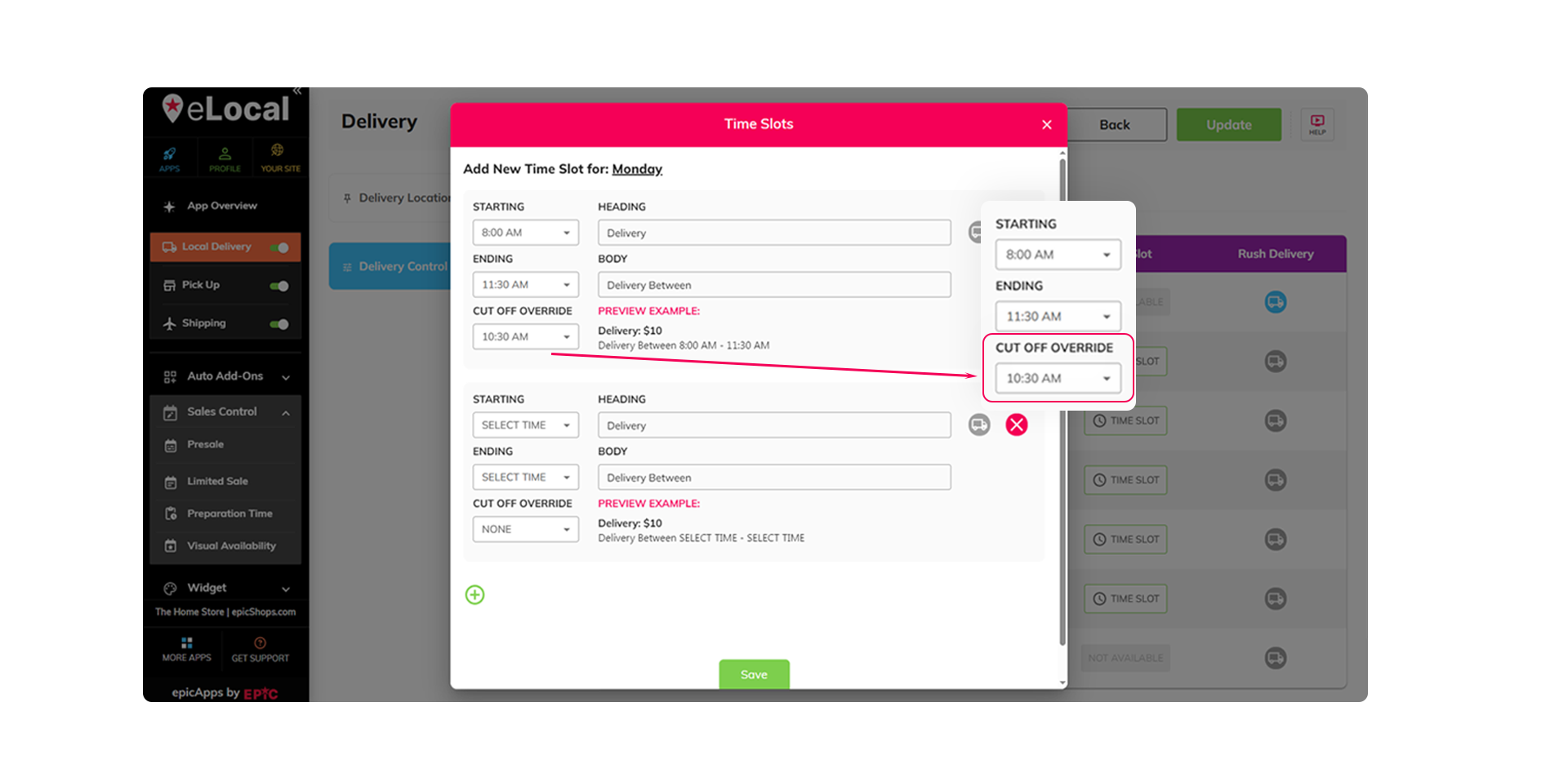
eLocal app interface, highlighting options for custom cut-off times for each delivery time slot.
eLocal app dashboard for managing holiday delivery blocks and auto-restoration settings.
Temporarily block deliveries on holidays and auto-restore after. – This is Live

Saves time and avoids missed or delayed orders.

If you need some preparation for a specific product/category, you can now set it in hours and days. – This is Live

Keeps fulfillment realistic and reduces cancellations.
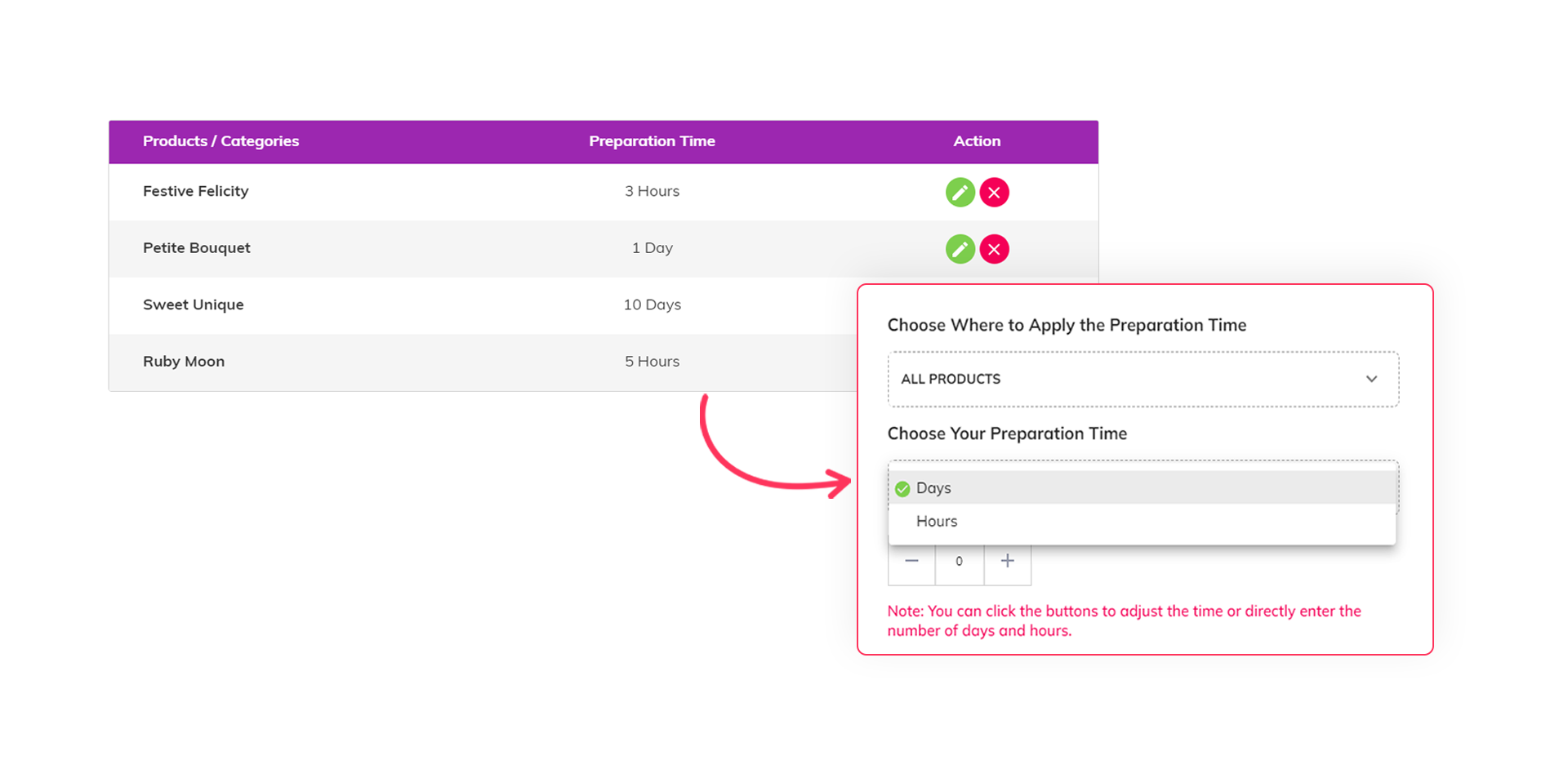
eLocal app settings interface illustrating how to configure preparation time for product categories in hours and days.
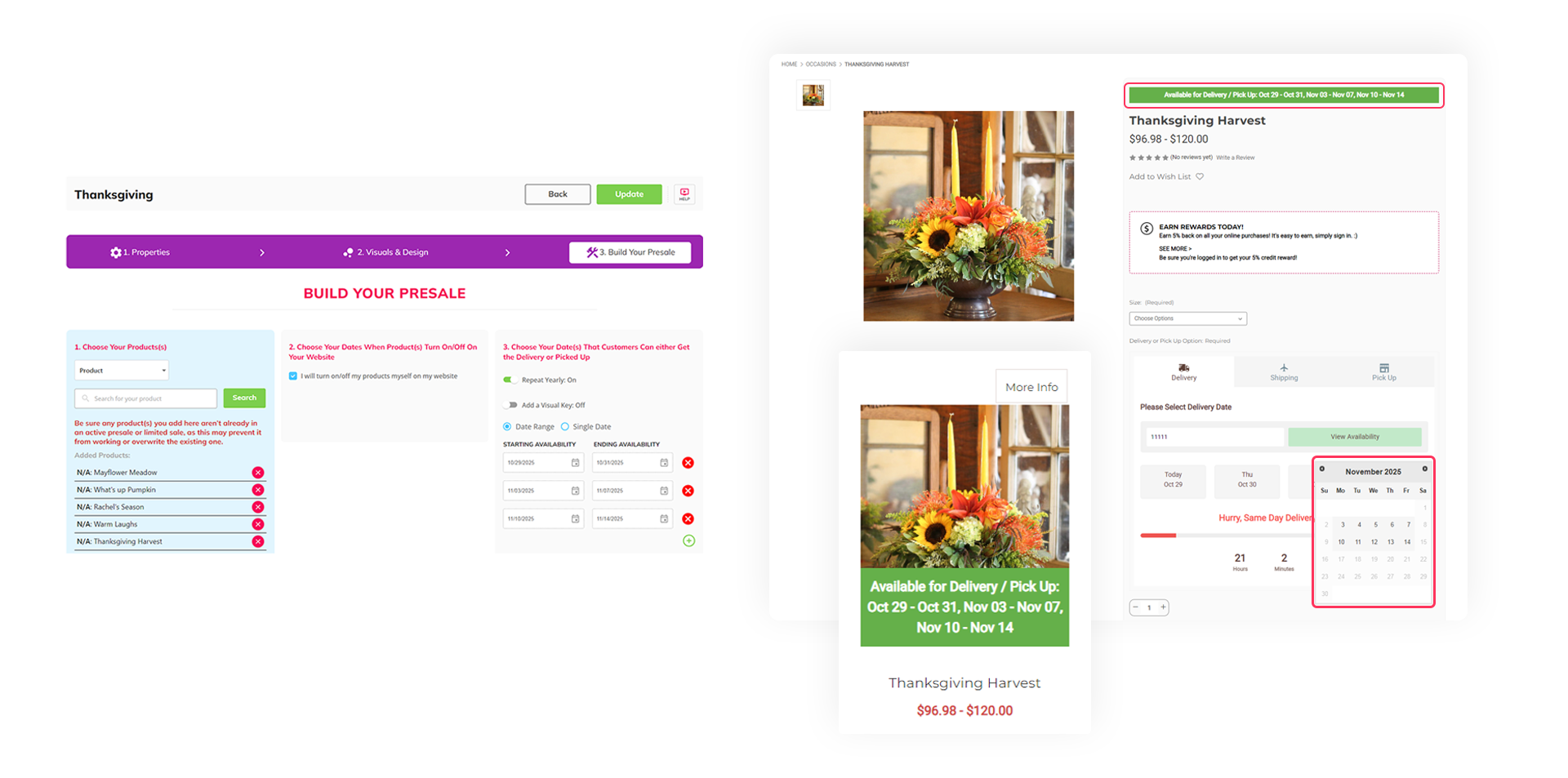
eLocal apps dashboard for preordering flower deliveries for holidays and special events.
Let customers preorder for holidays or special events before the rush begins. – This is Live

Locks in early sales and shows demand ahead of time, helping you plan inventory and staffing efficiently.

Show upcoming products but only allow checkout once they’re officially released. – This is Live

Builds anticipation, so customers come back and buy as soon as it’s available.

An eLocal apps dashboard shows upcoming products but only allows checkout once they’re officially released.
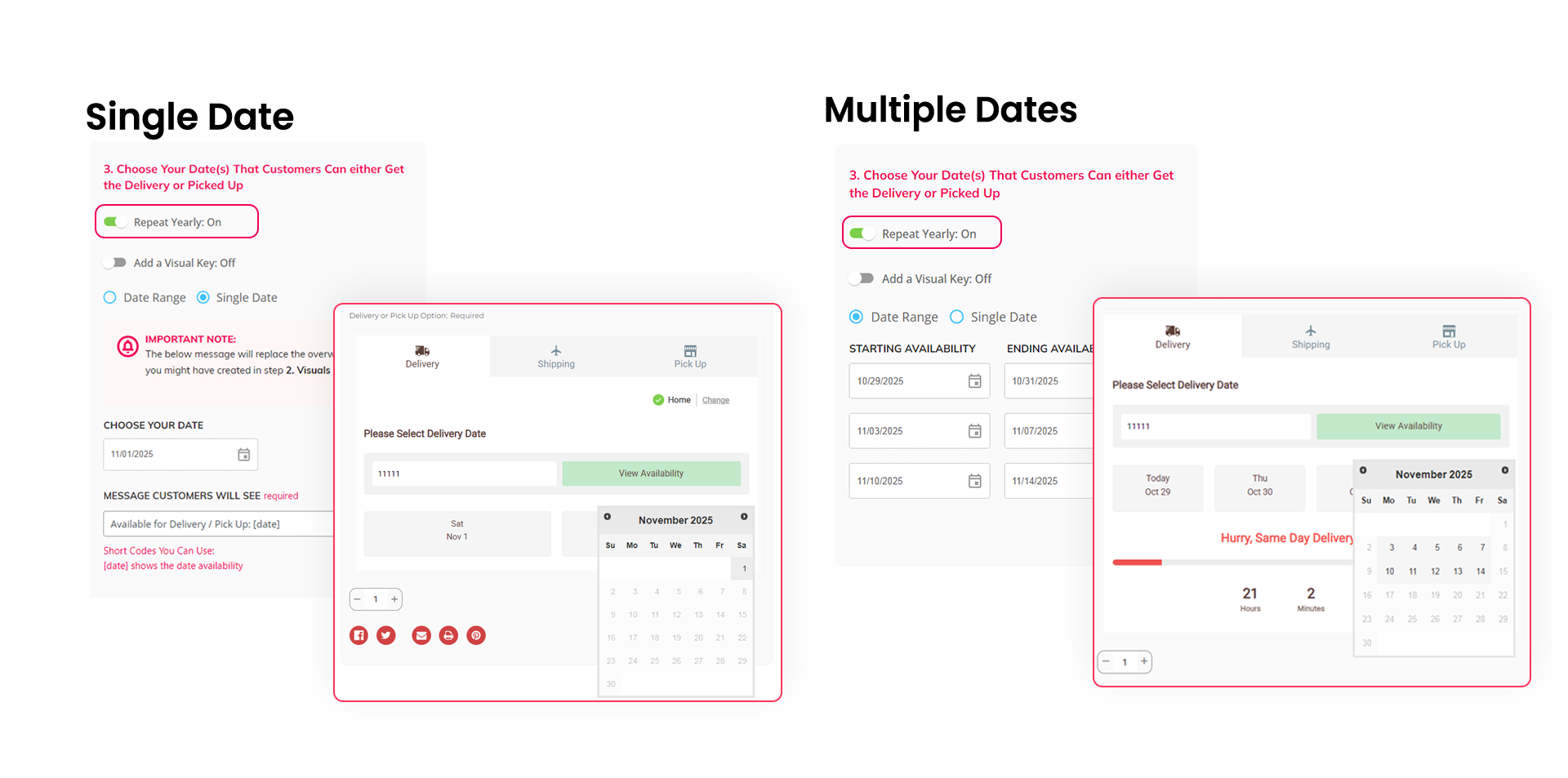
Multiple date ranges for preorders and offers, with eLocal app instructions for yearly auto-repeats.
Set single or multiple date ranges for preorder and limited offers, and auto-repeat them yearly. – This is Live

Saves time by automating seasonal setups, so you never miss high-demand periods.

Add informative visuals to show when products are in season, limited, or set any custom availability displays. – This is Live

Makes it easier for customers to decide, driving more seasonal sales.
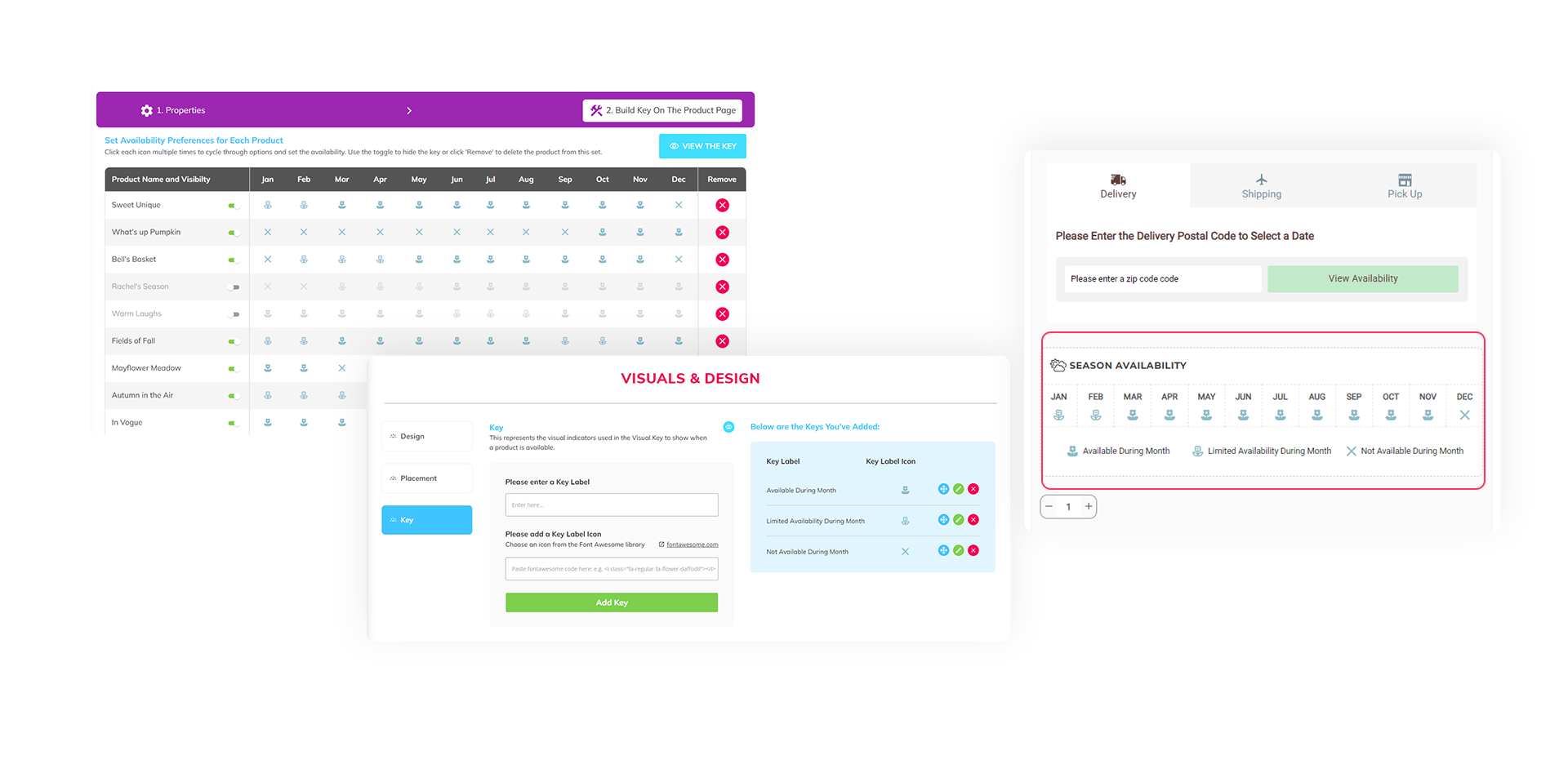
eLocal app features for adding visuals to indicate product availability and seasonality.
Multiple date ranges for preorders and offers, with eLocal app instructions for yearly auto-repeats.
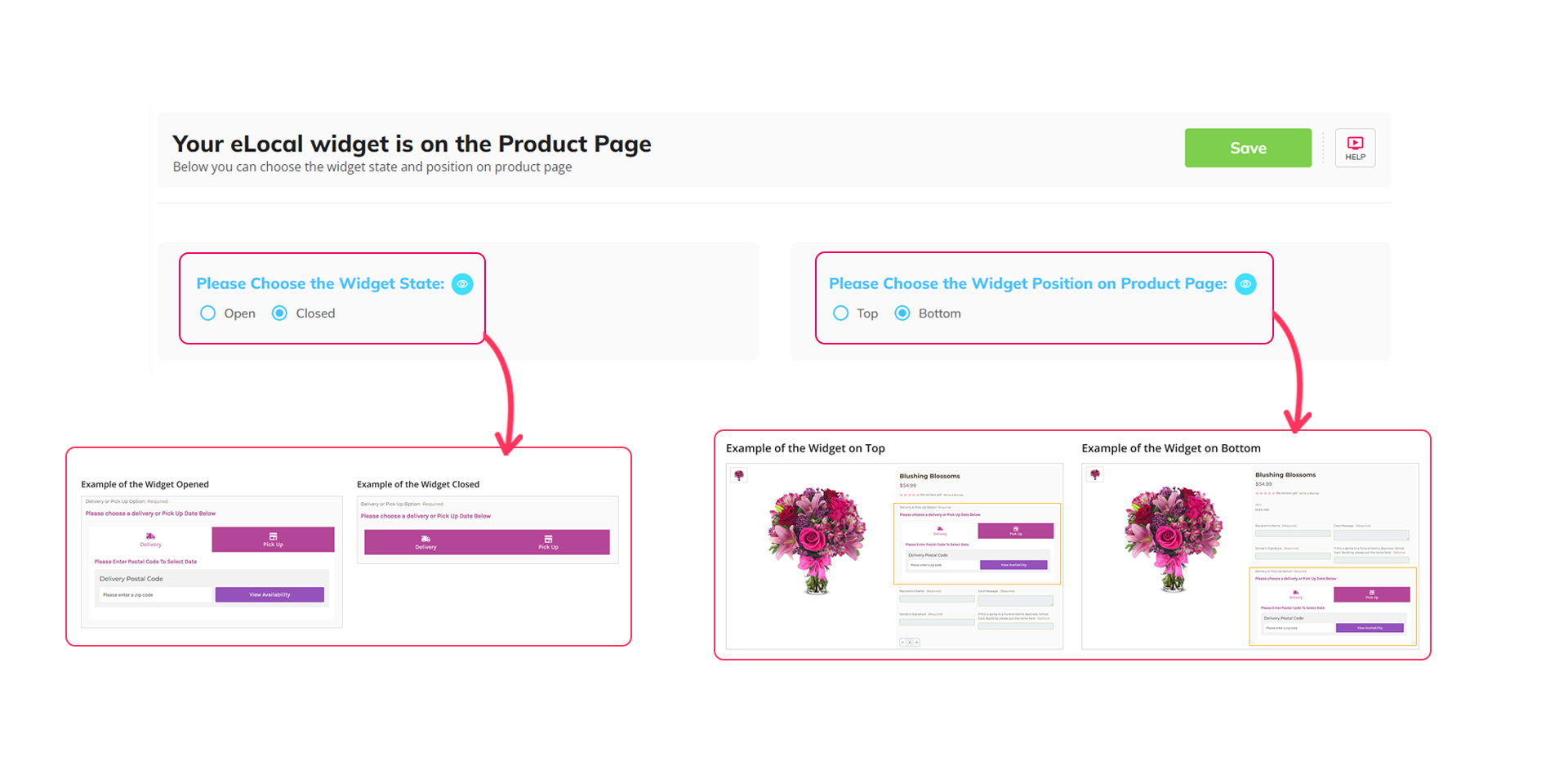
eLocal app featuring the eLocal widget's state and placement on product pages.
Control eLocal widget state and placement on product pages. – This is Live

Better placement means more clicks and conversions.

Easily manage how and where products are available by fulfillment type and area. – This is Live

Ensures every order you take can be fulfilled, keeping customers happy and operations smooth.

eLocal apps dashboard for managing product availability by fulfillment type and area.
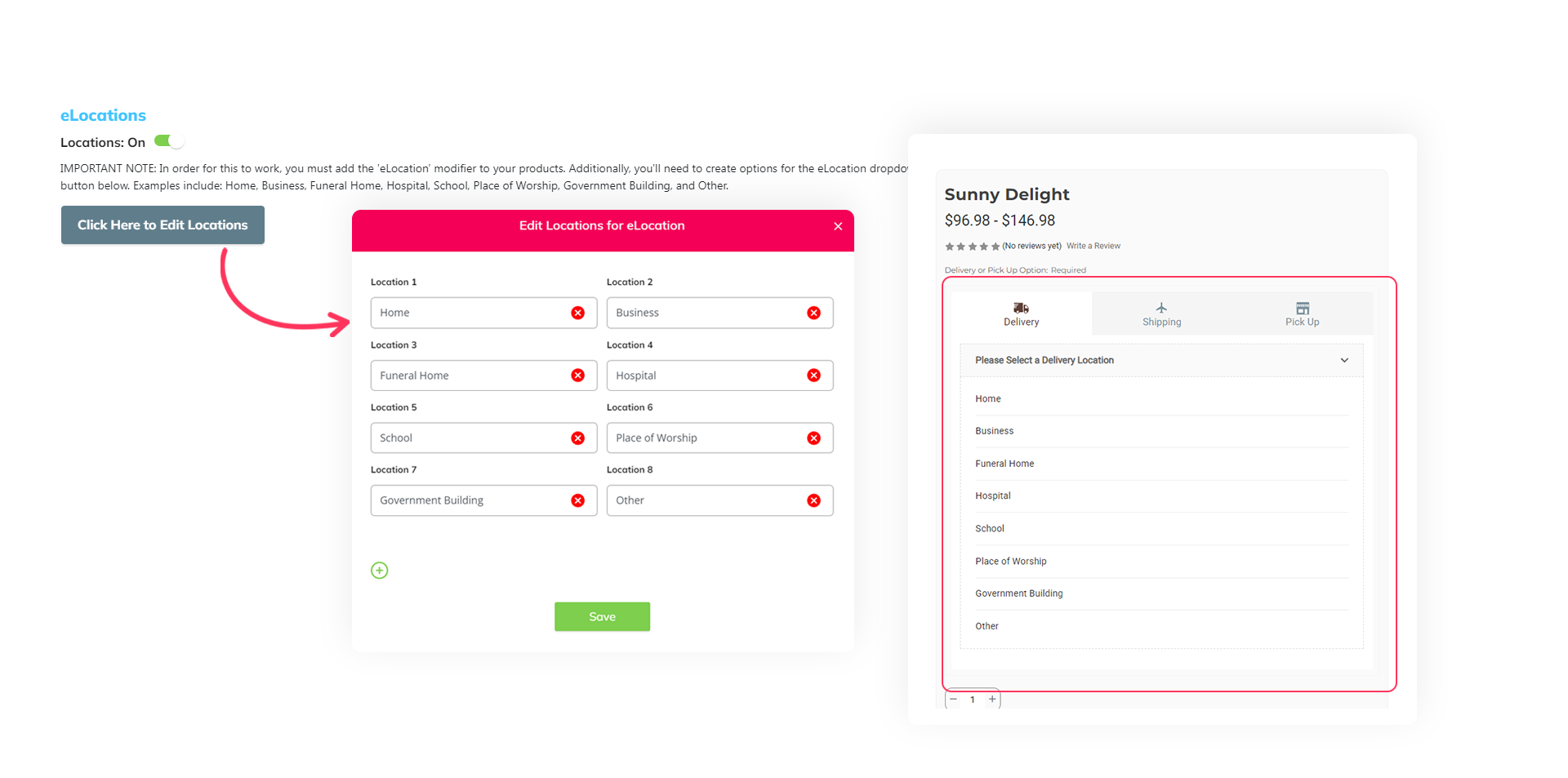
eLocal app settings for adding delivery locations like Home, Business, and Hospital before zip entry.
Add delivery locations (Home, Business, Hospital, etc.) to your eLocal widget before zip entry. – This is Live

Expands your customer reach by showing which location types you serve.

Improved eLocal widget with flexible tab order, additional styling and text customization, and real-time availability checks. – This is Live

Drives more completed sales with clear availability across all fulfillment methods.
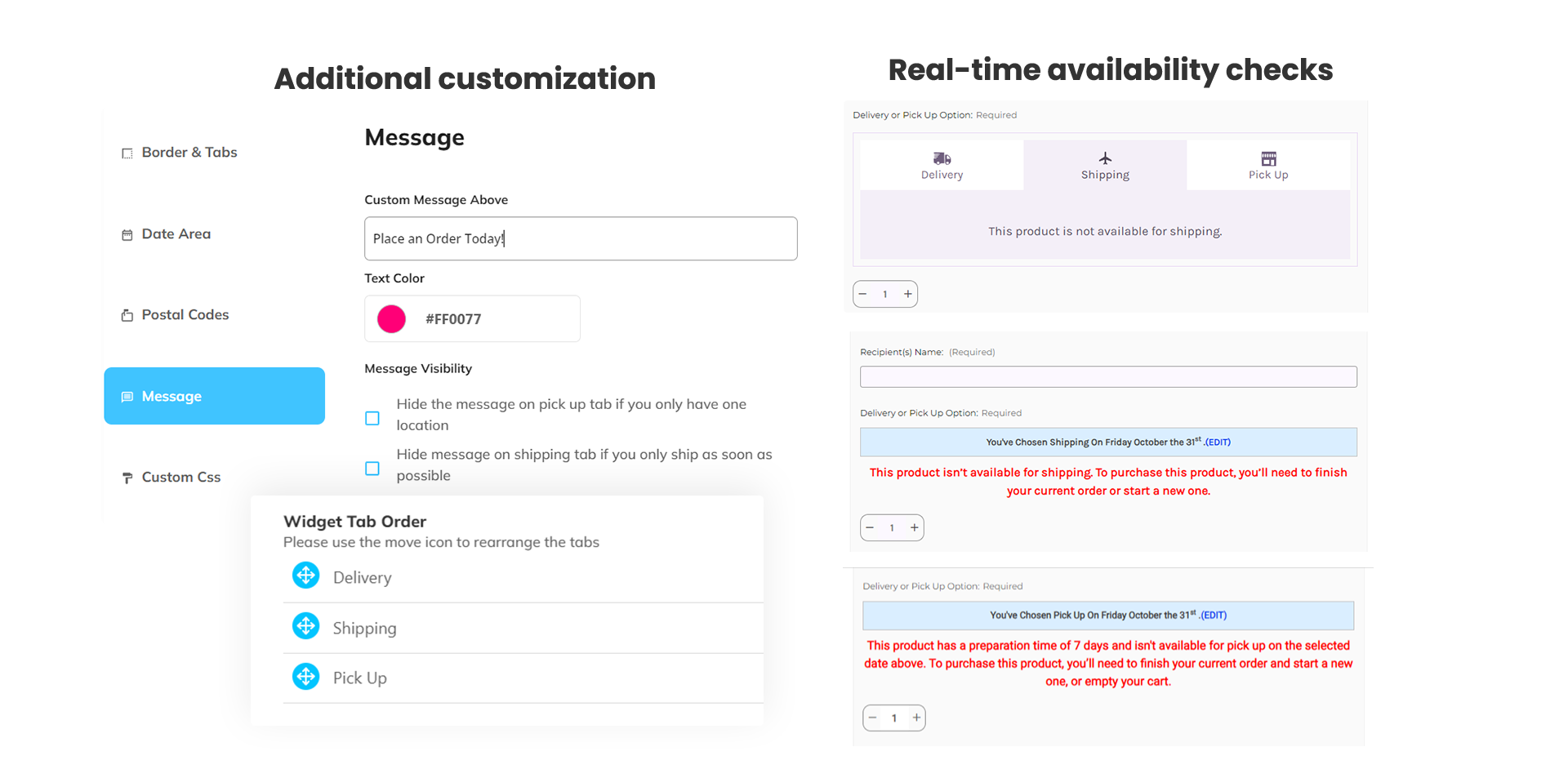
eLocal Apps interface, showcasing app settings for widget customization and real-time checks.
An eLocal app's dashboard displays a fully rebuilt eLocal widget, designed for flexibility and new integrations.
Fully rebuilt eLocal widget designed for flexibility and new integrations. – Early Next Year

Helps increase conversions with a smoother, more modern shopping experience.

Adds a Wire Out zone to route orders outside local delivery areas. – Early Next Year

Increases order coverage through fulfillment partners, keeping sales in-house.
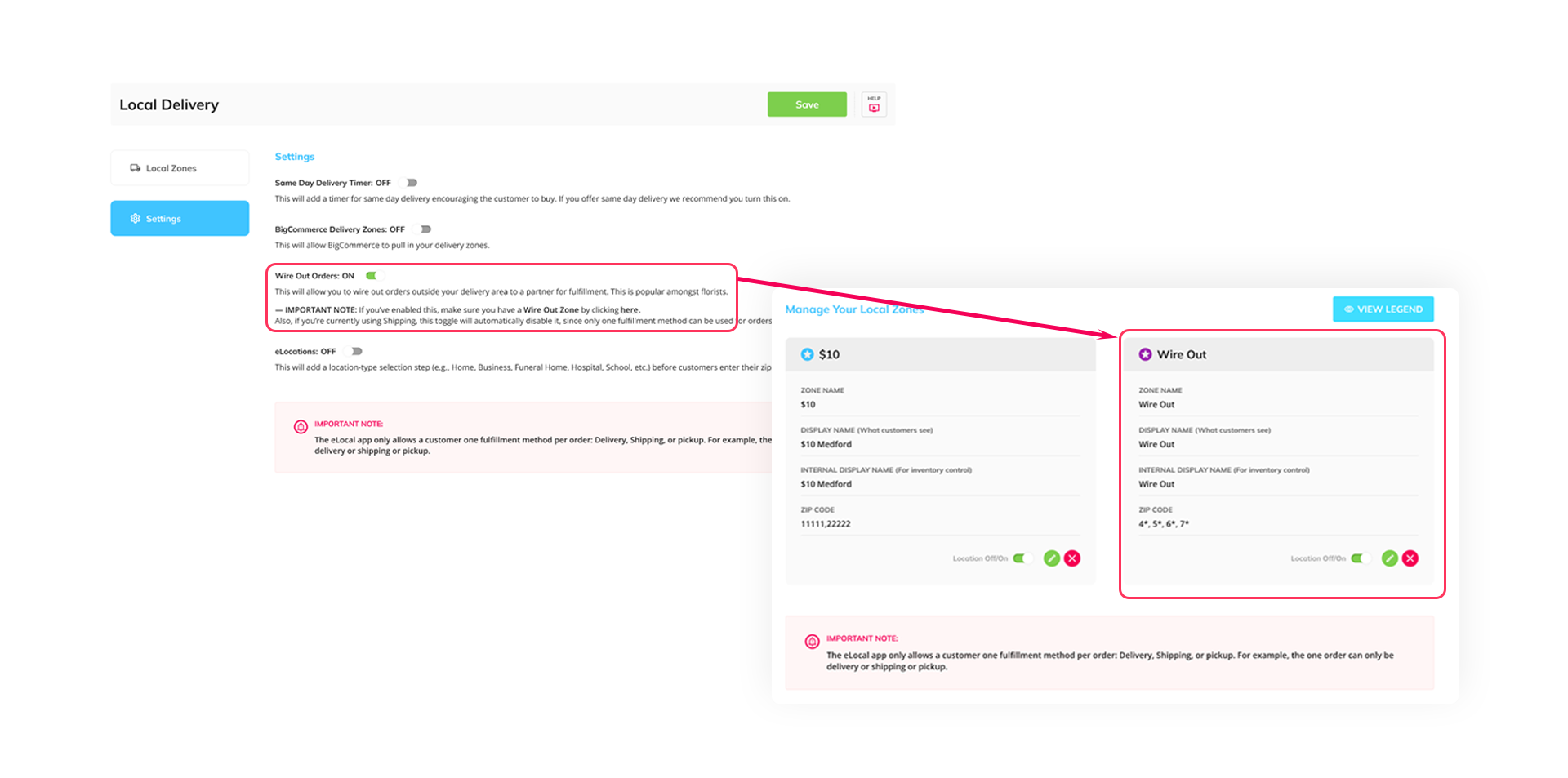
An eLocal app's dashboard displays an option to add a Wire Out zone, allowing orders to be routed outside local delivery areas.
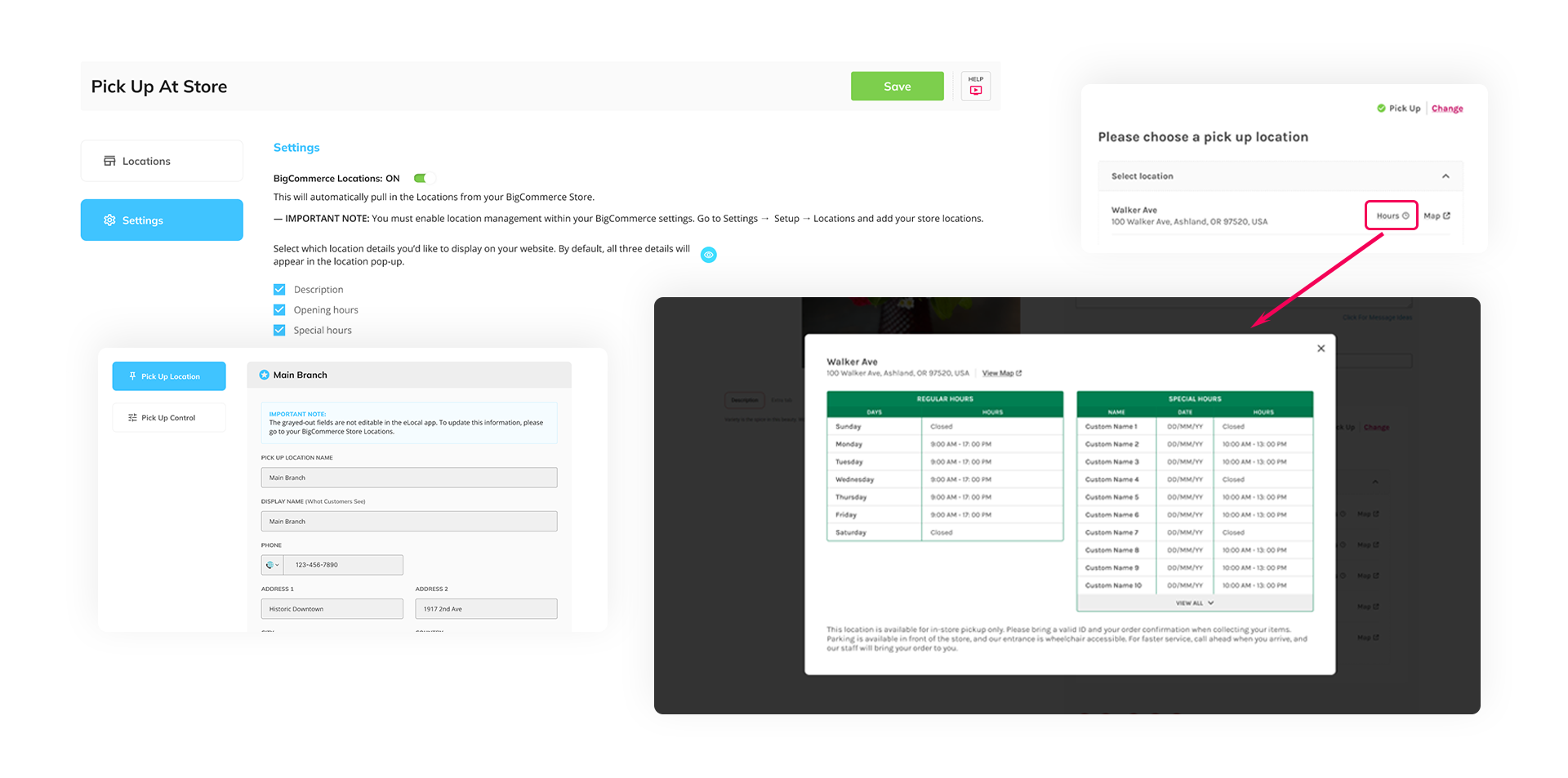
An eLocal app's dashboard displays syncing BigCommerce Locations to eLocal, allowing for auto-population of pickup locations.
Syncs BigCommerce Locations to eLocal to auto-populate pickup locations. – Early Next Year

Saves time and simplifies location management.

Let customers fill BigCommerce custom fields inside the eLocal widget and reorder steps. – Early Next Year

Captures necessary info sooner, helping orders move through fulfillment faster.
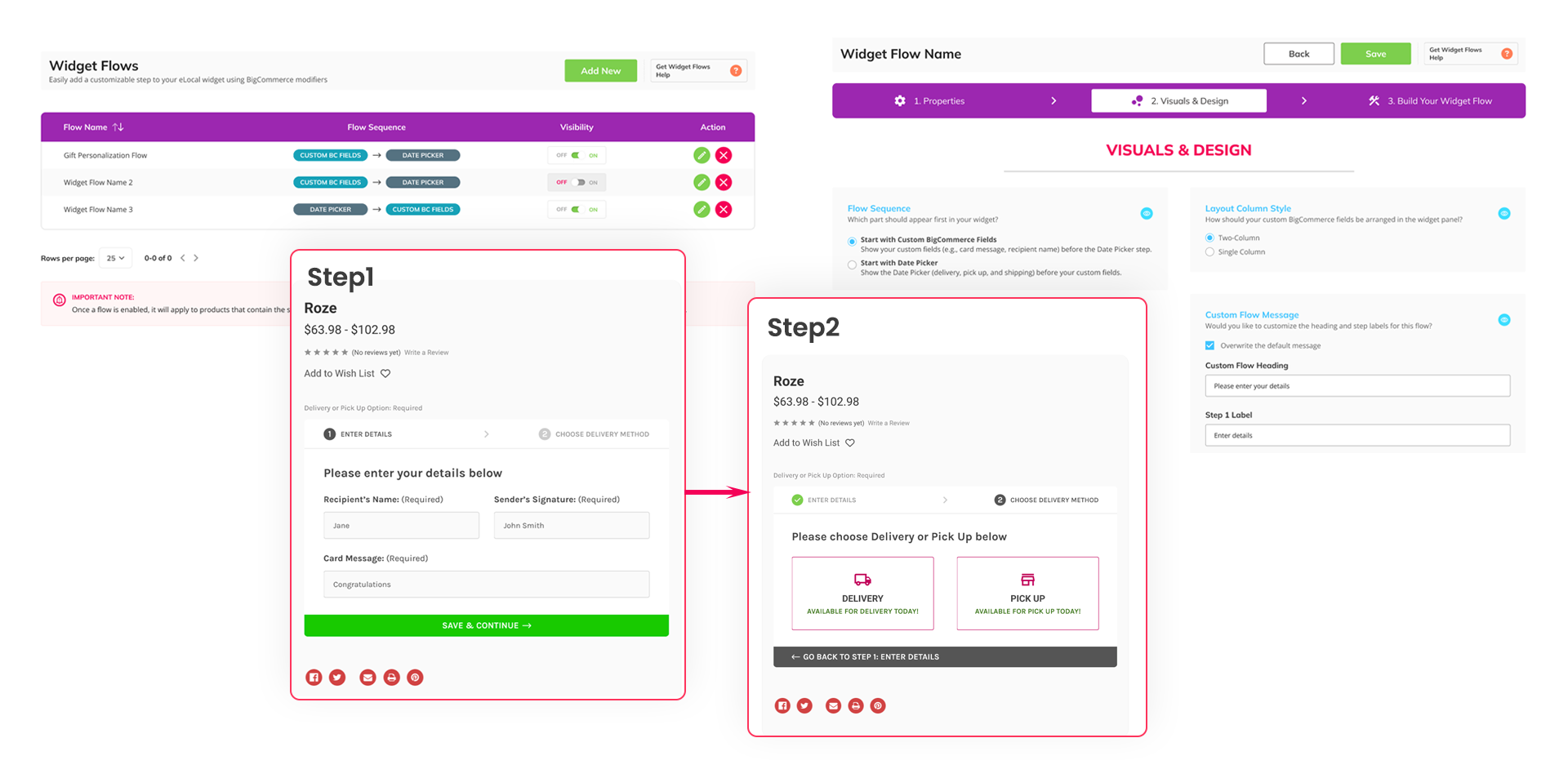
An eLocal app's dashboard displays. Let customers fill BigCommerce custom fields inside the eLocal widget and reorder steps.
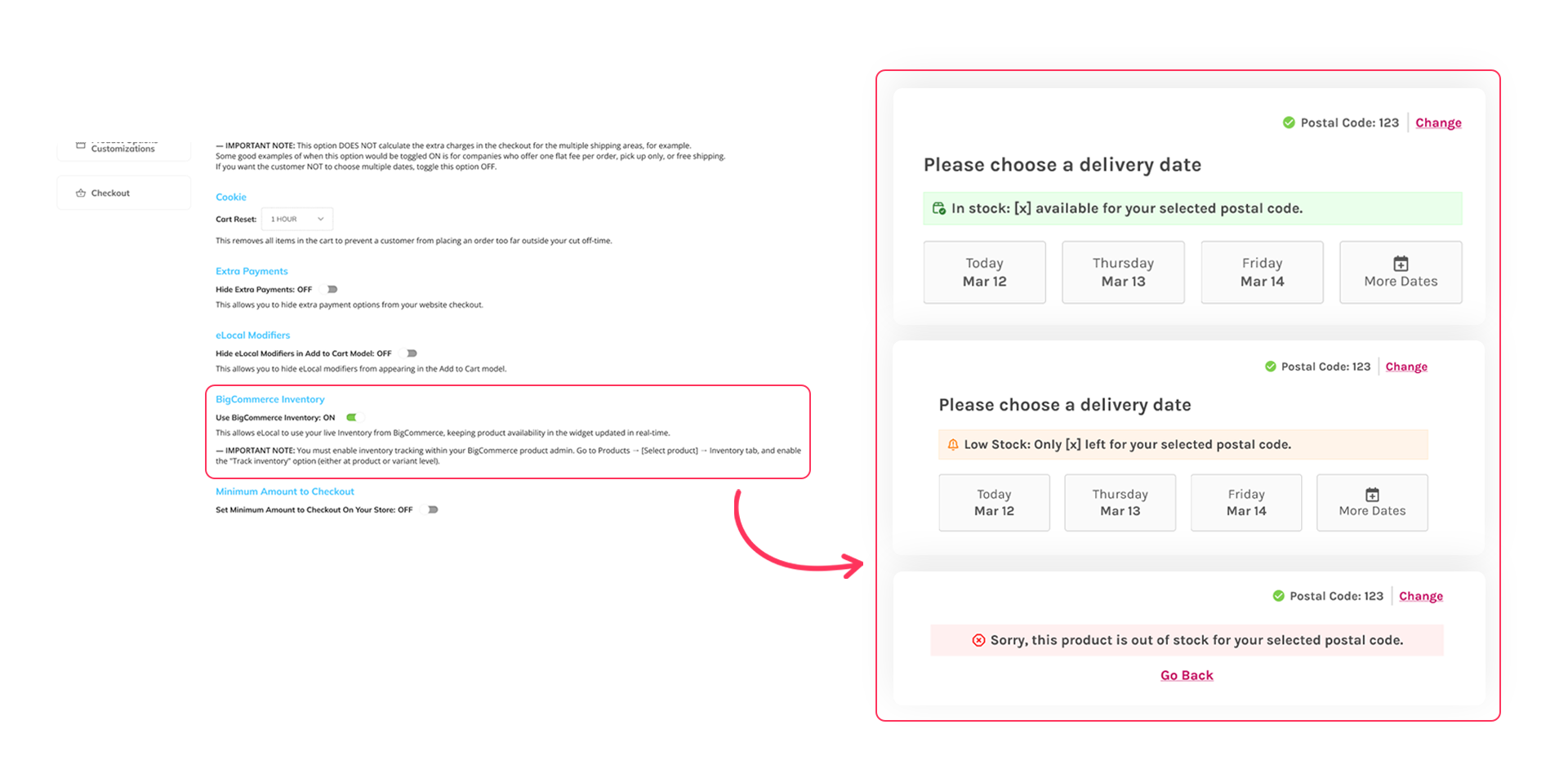
An eLocal app's dashboard displays how it connects with BigCommerce inventory to display accurate stock in real time.
Connects with BigCommerce inventory to display accurate stock in real time. – Early Next Year

Helps maximize revenue by preventing oversells and ensuring a better customer experience.

An epicApp elocate icon
eLocate

Help customers find your stores fast with a built-in store locator

Allows you to map multiple locations of your business and/or other businesses and organizations. – This is Live

This allow customers to find you better if they search with AI.
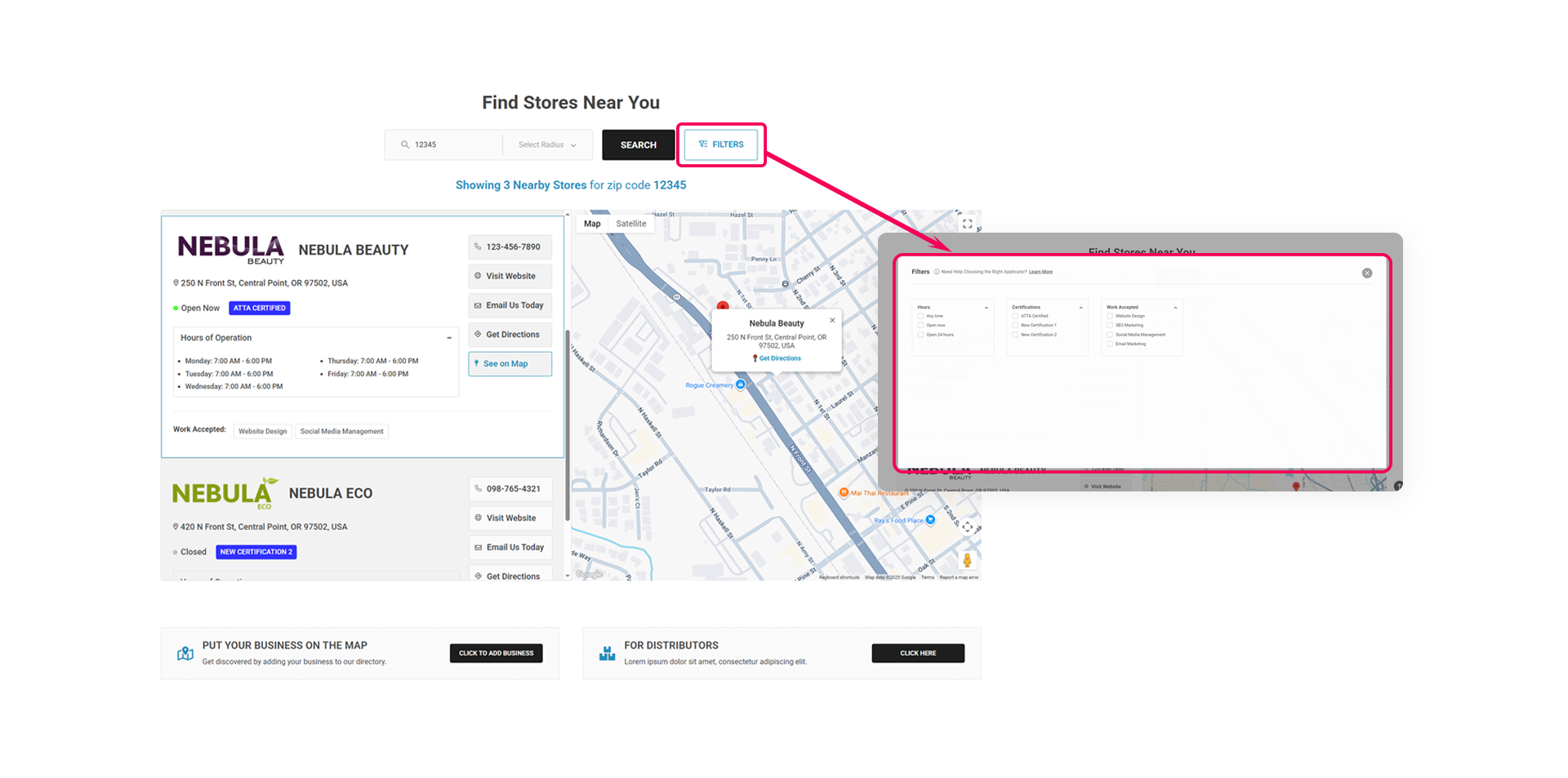
An eLocate app's dashboard shows Allows you to map mutliple locations of your business and/or other businesses and organizations
An epicApp epicAI icon
epicAI

Smart AI that helps you with your website

Page displaying "AI Schema Feed" highlighted, illustrating epicAI App for daily updates to llms.txt for improved AI searchability.
Updates your llms.txt file daily for better AI searchability. – This is Live

Helps maximize revenue by preventing oversells and ensuring a better customer experience.

An epicApp epicSnap icon
epicSnap

Get visual reviews and keep customers coming back

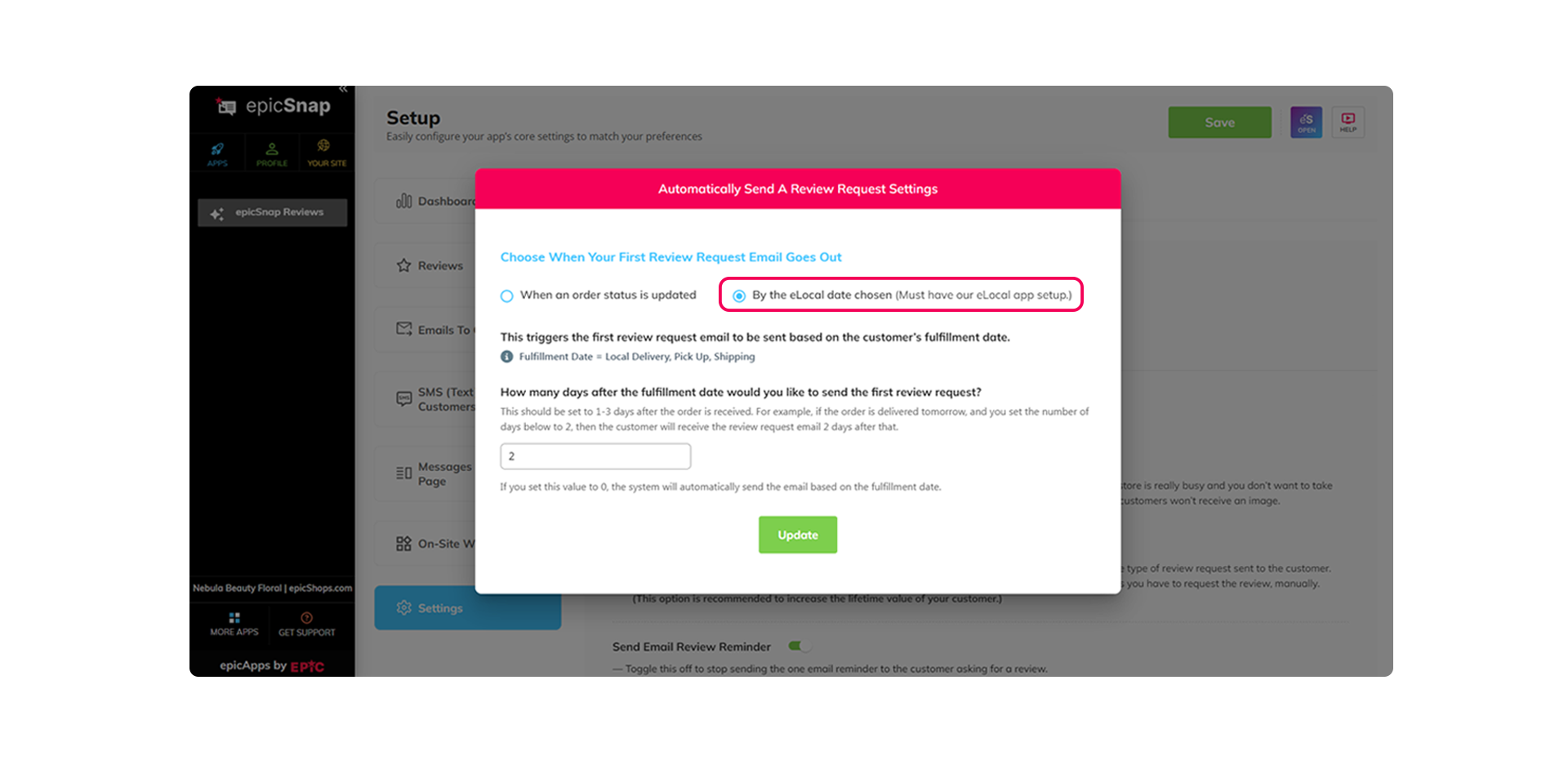
Automatically send review requests based on fulfillment dates instead of order status. – This is Live

This allow customers to find you better if they search with AI.

An epicSnap app's dashboard automatically sends review requests based on fulfillment dates instead of order status.
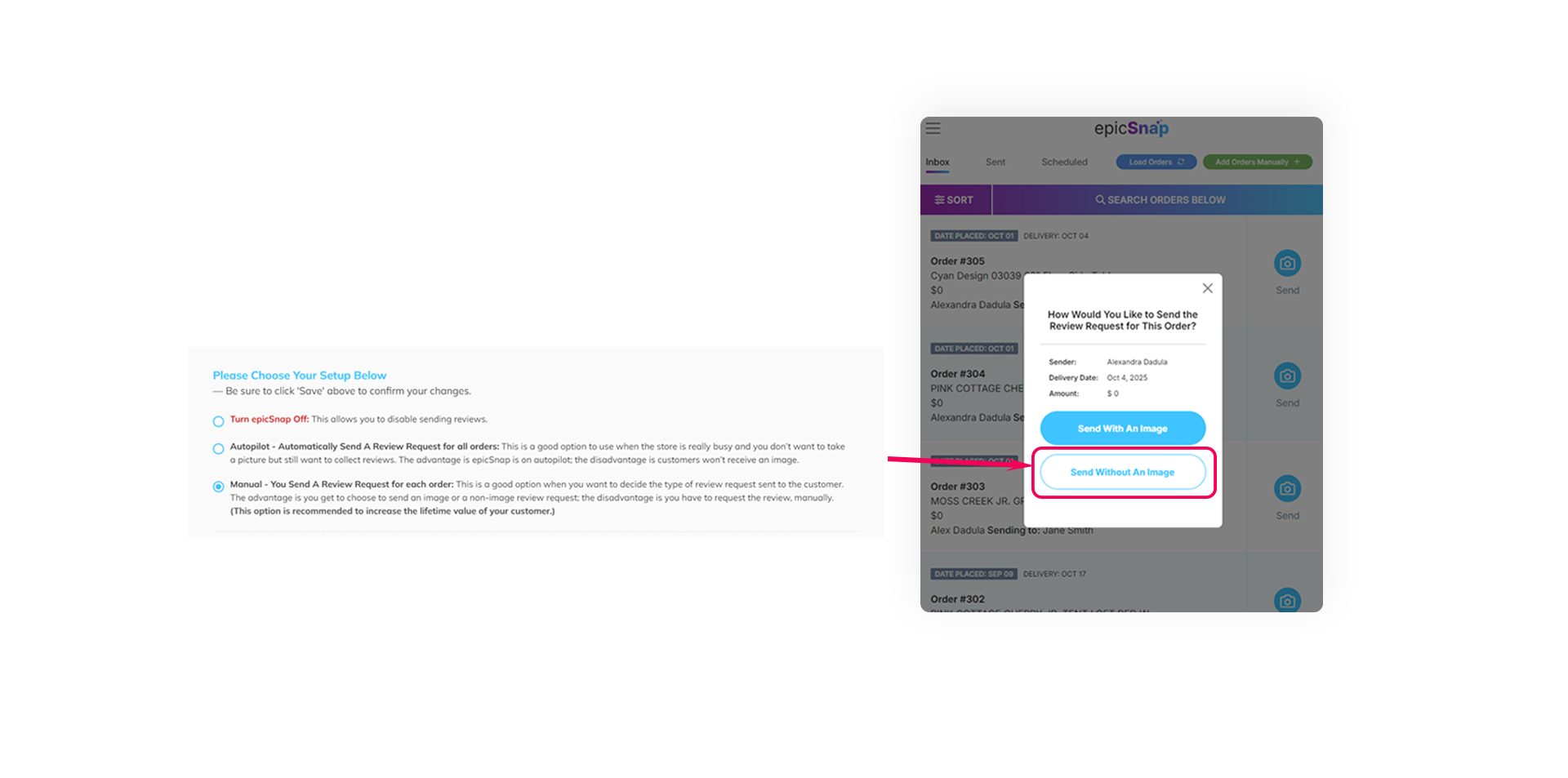
An epicSnap app's dashboard shows how manual setup now lets you send review requests even without a photo.
Manual setup now lets you send review requests even without a photo. – This is Live

Gives you full control over photo use, helping you send more review requests faster.

Show your best reviews anywhere on your site with a customizable carousel. – This is Live

Builds trust and boosts sales by displaying real customer happiness where it matters most.
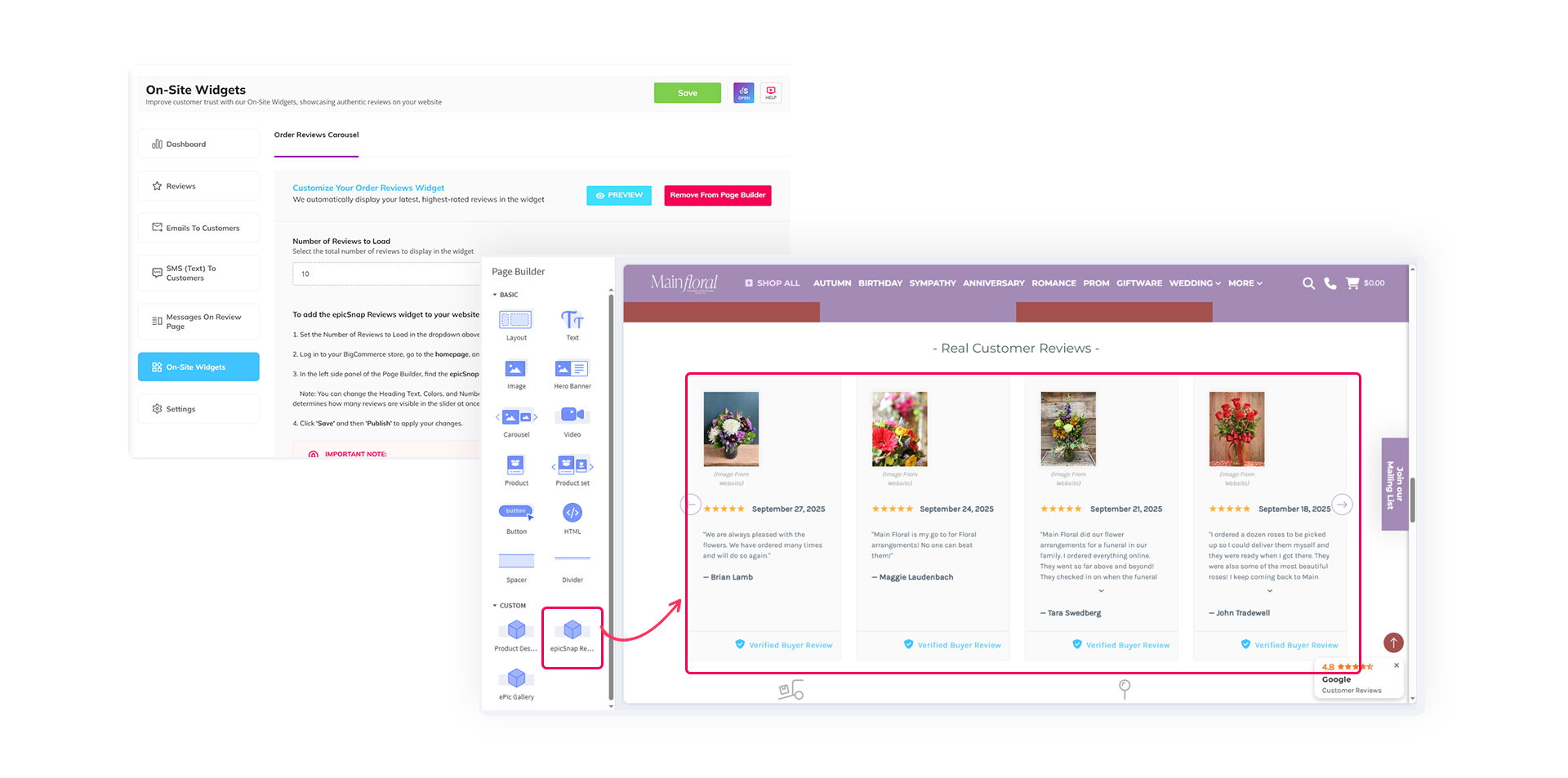
An epicSnap App dashboard show your best reviews anywhere on your site with a customizable carousel.
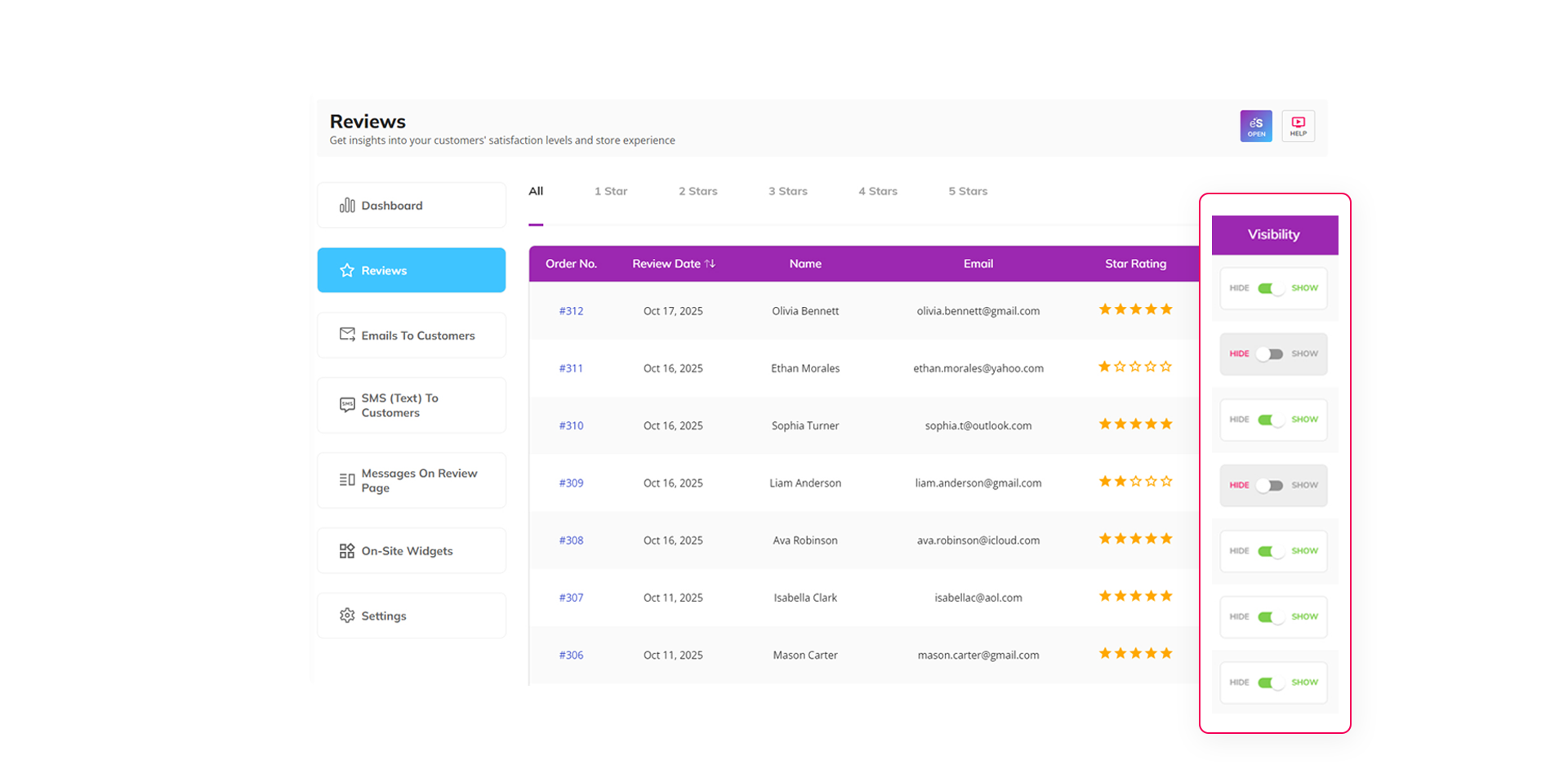
An epicSnap App dashboard chooses which reviews appear on your website and controls your overall star rating display.
Choose which reviews appear on your website and control your overall star rating display. – This is Live

Keeps your reputation strong while staying transparent with real customer feedback.

Easily sort and prioritize orders by delivery, pickup, or shipping date instead of date placed. – This is Live

Helps you send review requests in the right order and on schedule.
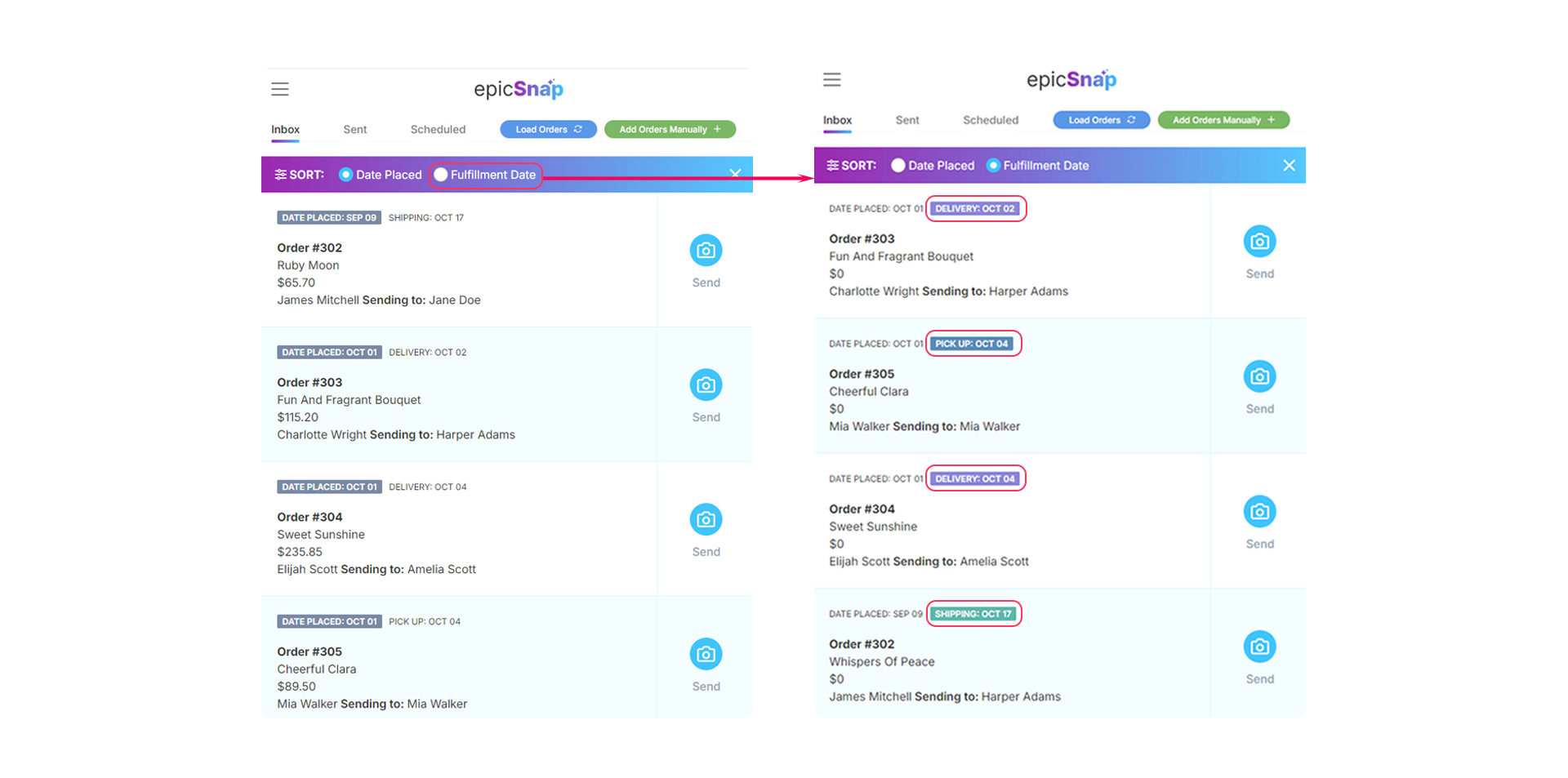
An epicSnap App dashboard easily sort and prioritize orders by delivery, pickup, or shipping date instead of date placed.
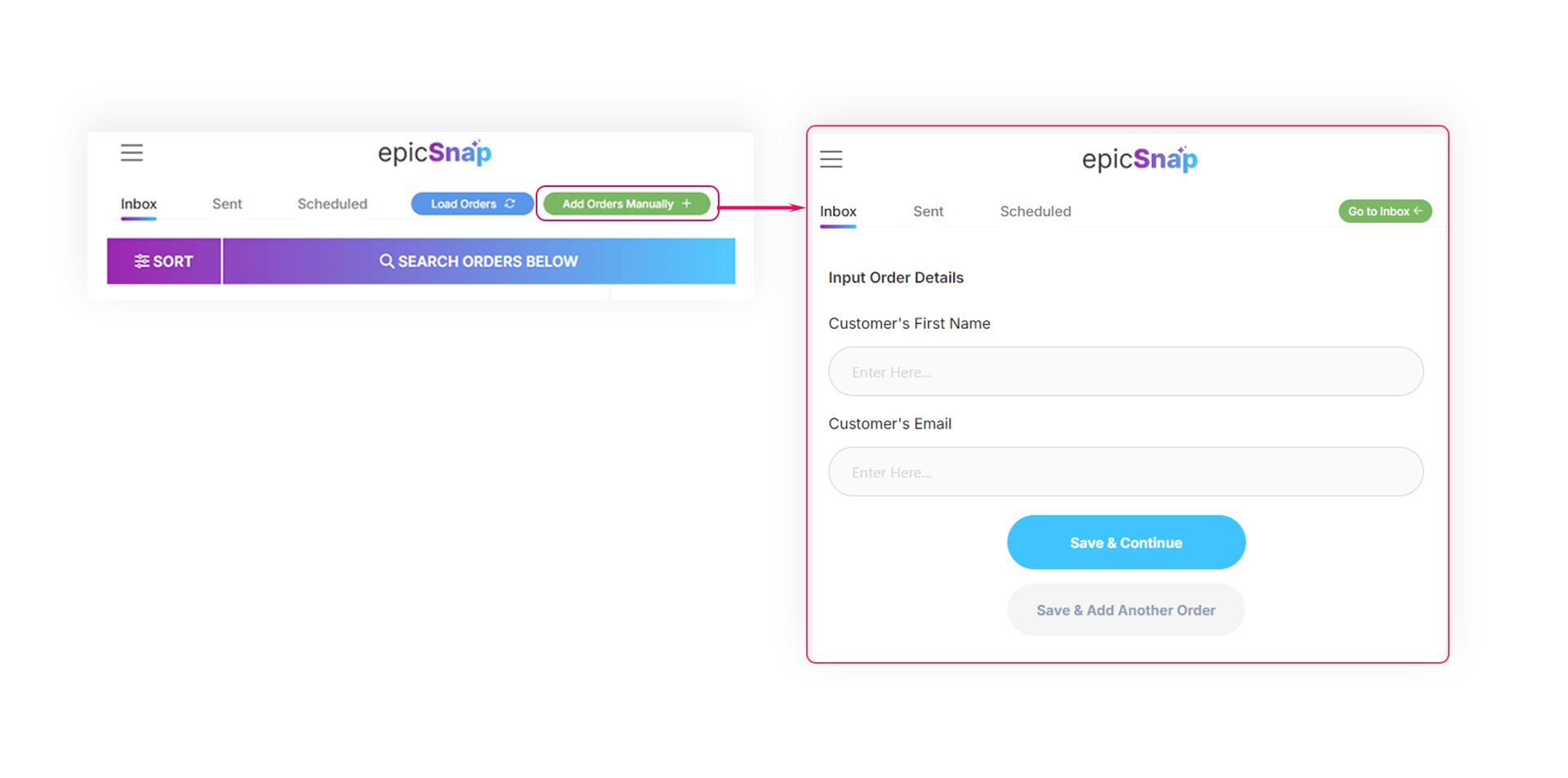
An epicSnap App dashboard shows how to add manual orders for cases like walk-ins, phone orders, or special requests.
Add manual orders for cases like walk-ins, phone orders, or special requests. – This is Live

Turns every customer interaction into a sales and review opportunity.

Now includes a new step that invites recipients to rate their experience and share it on Google. – This is Live

Brings in more 5-star Google reviews that attract new customers and grow local visibility.
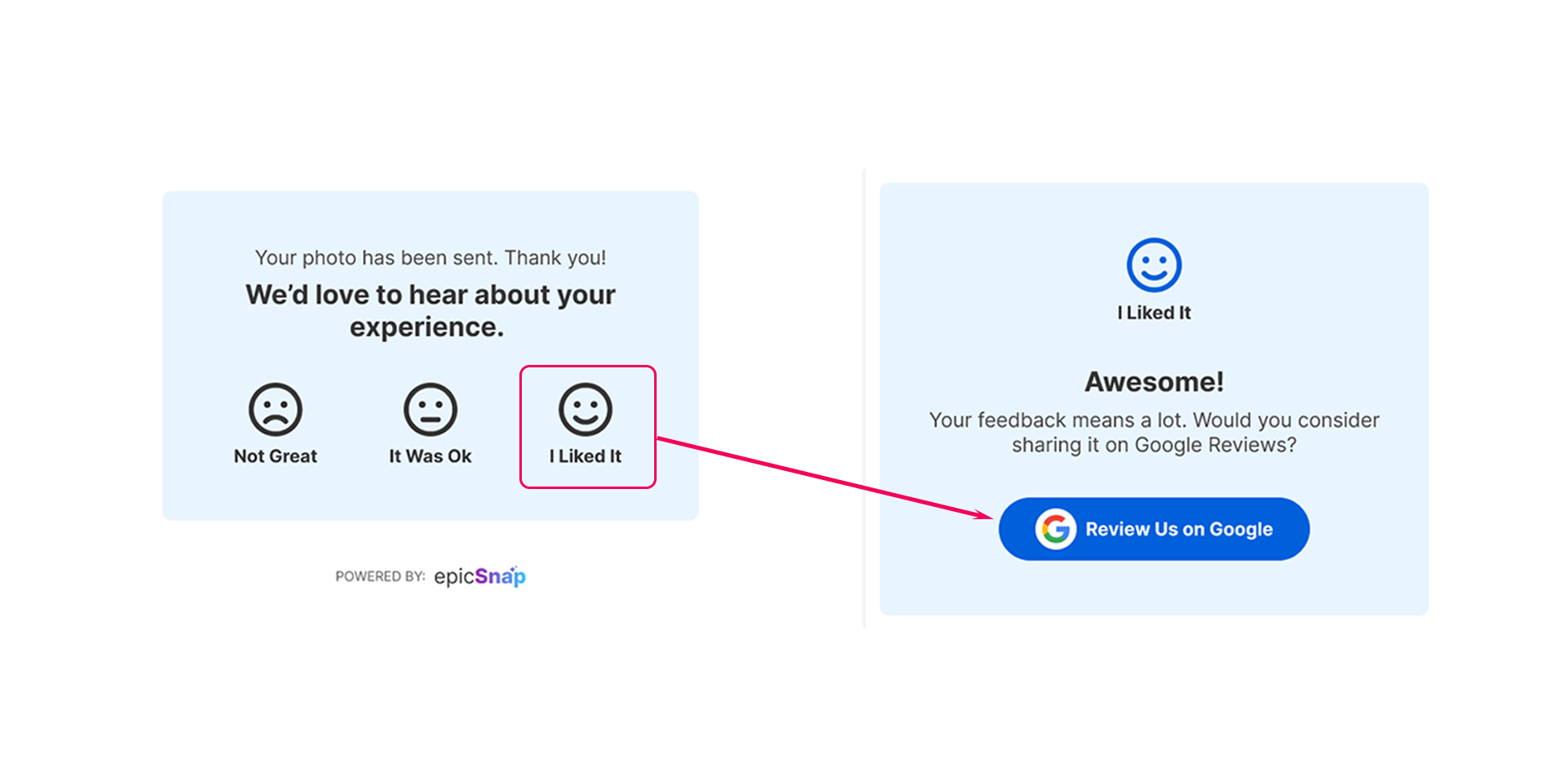
An epicSnap App dashboard now includes a new step that invites recipients to rate their experience and share it on Google.
An epicSnap App dashboard shows how to update all email templates for higher inbox delivery and improved engagement.
Updated all email templates for higher inbox delivery and improved engagement. – This is Live

More emails reach real customers, leading to more clicks, reviews, and repeat business.

Display your epicSnap reviews directly on your product pages. – This is Live

Builds instant trust and helps shoppers decide faster, boosting conversions.
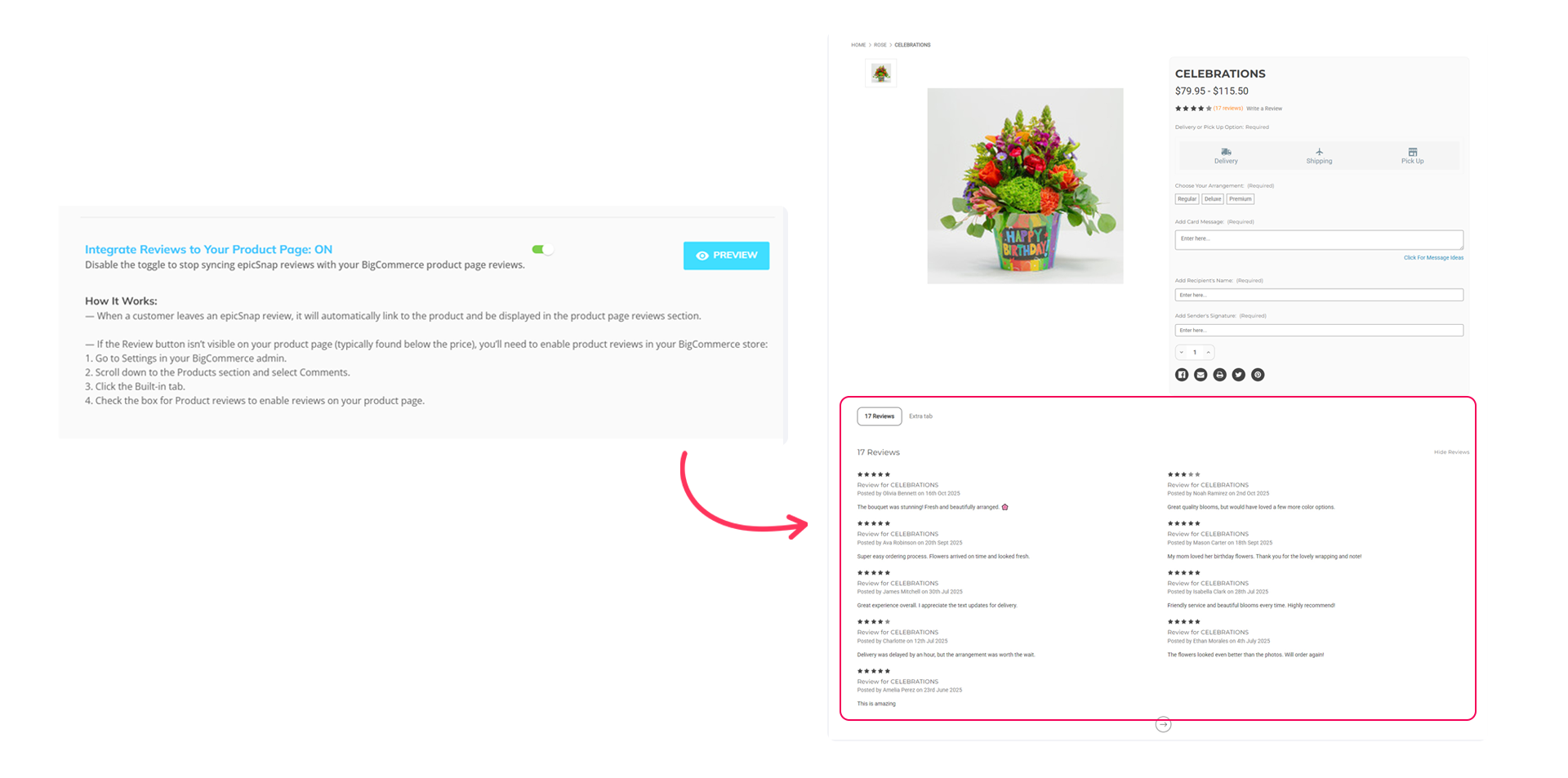
An epicSnap App dashboard displays your epicSnap reviews directly on your product pages.
An epicApp goLoyalty icon
goLoyalty

Offer credit back rewards & get better reviews
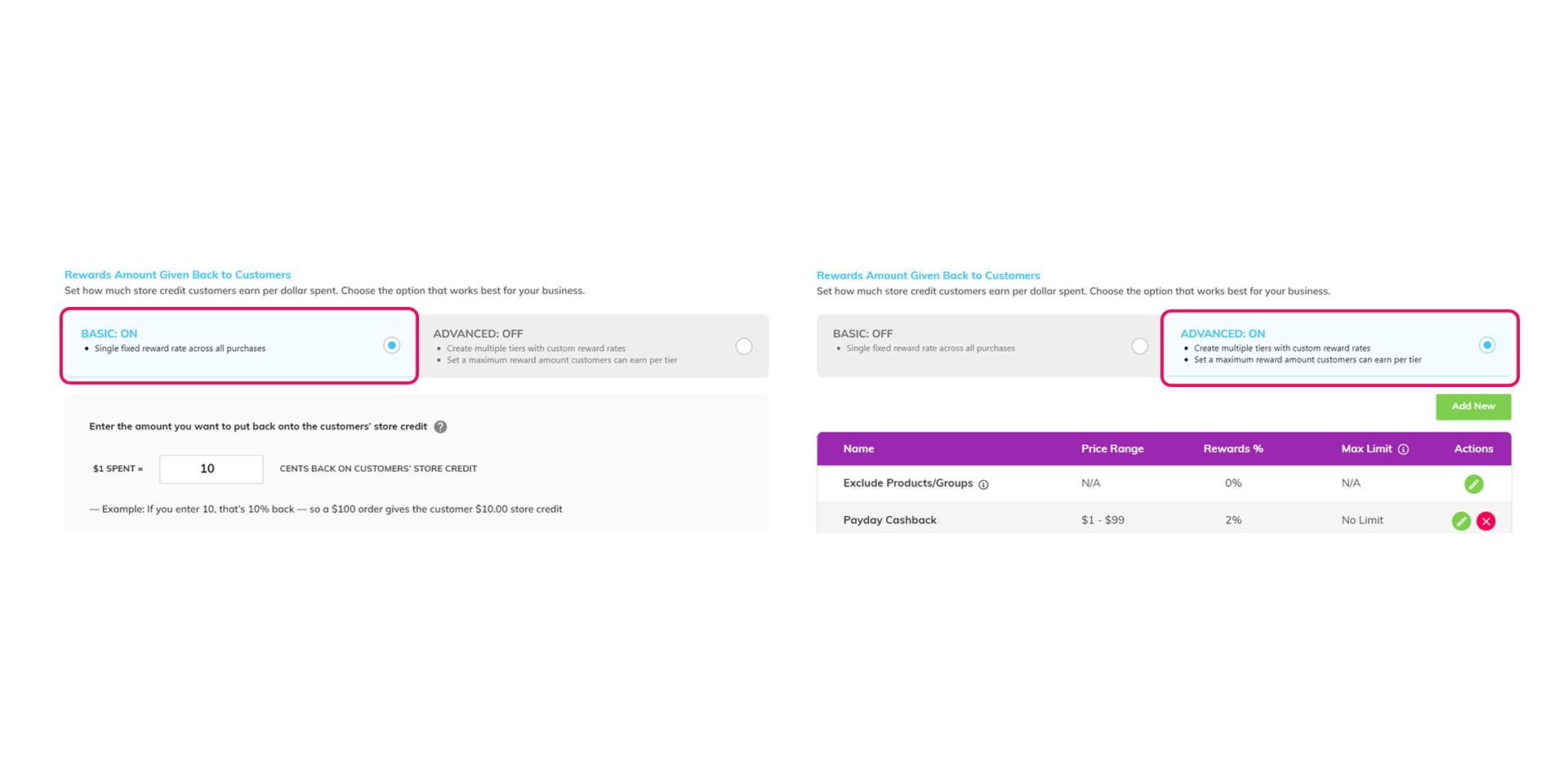
A goLoyalty app's dashboard shows how to improve the user interface that allows users to easily switch between Basic and Advanced setups.
Improved user interface that allows users to easily switch between Basic and Advanced setup. – This is Live

Easily customize and control how you reward customers with cashback.

Added an Analytics section that lets you see whether customers have opened and viewed both monthly and order confirmation emails. – This is Live

Get a clear view of how your customers interact with your emails and improve your communication.

goLoyalty app dashboard featuring an Analytics section to monitor customer interactions with monthly and order emails.
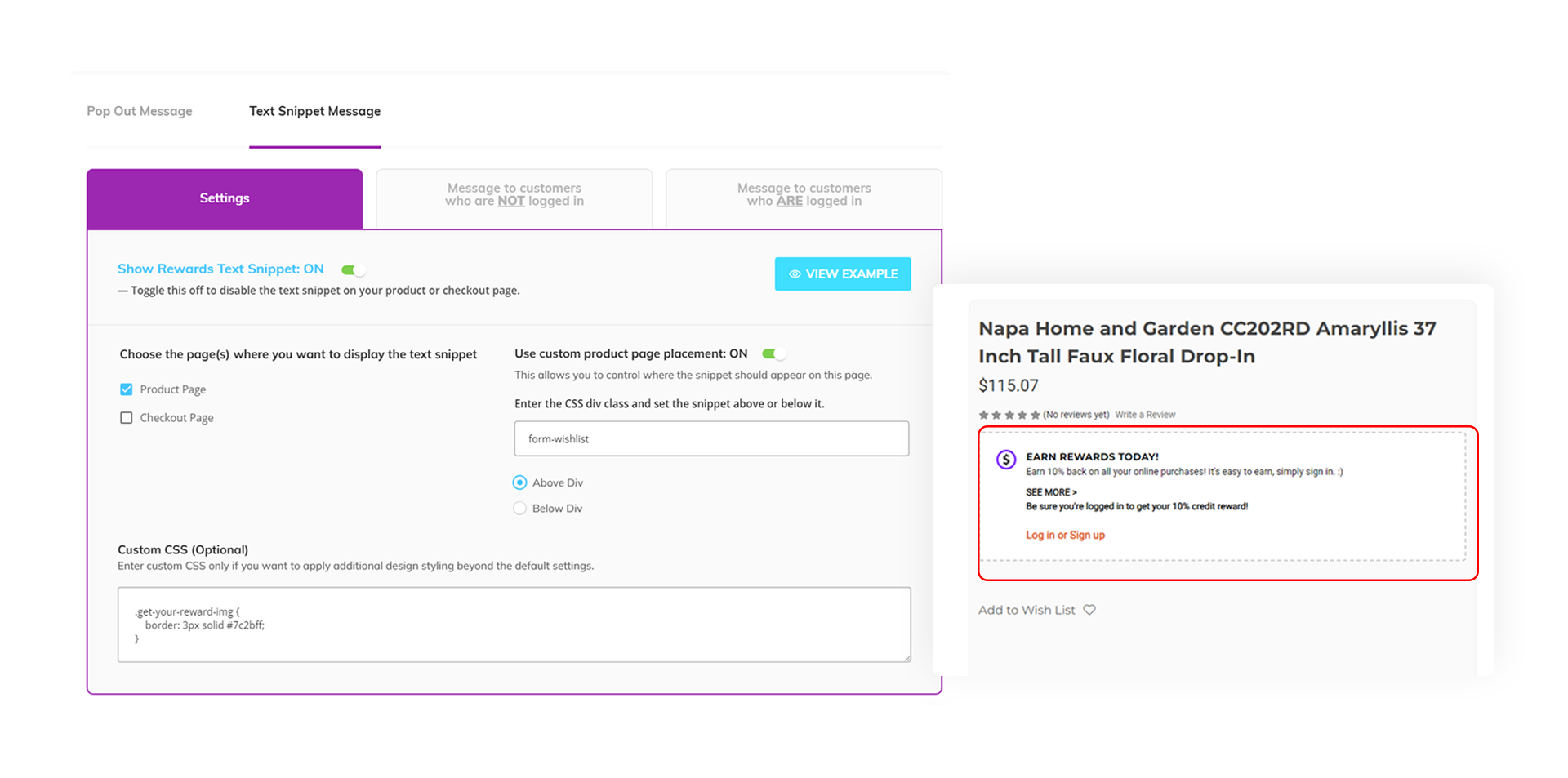
goLoyalty app interface showing options to customize Text Snippet placement and add custom CSS on the product page.
Added more options under the Text Snippet section, allowing you to control where the snippet appears on the product page and add more custom CSS. – This is Live

Gives you more flexibility to customize your product pages exactly how you want.

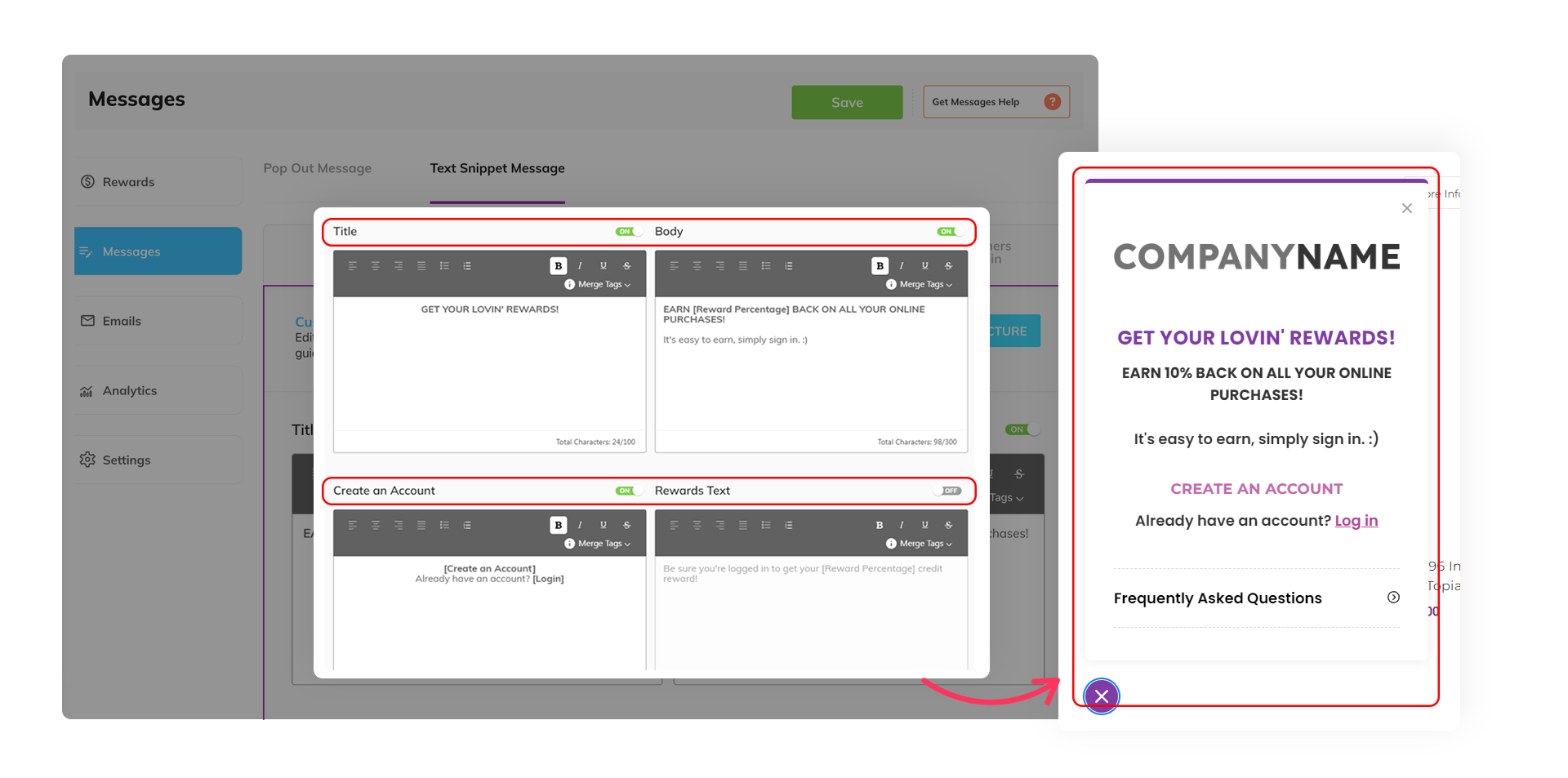
Introduced a visibility toggle in the Text Snippet and Pop-out Text & Message sections for better content control. – This is Live

Gives you more control over what content appears on your site, letting you easily show or hide sections as needed.
goLoyalty app dashboard featuring an Analytics section to monitor customer interactions with monthly and order emails.
A goLoyalty app's dashboard introduces a visibility toggle in the Text Snippet and Pop-out Text & Message sections for better content control.
An epicApp pageBuilderPro icon
pageBuilderPro

Design your website the way you wanted it to look like
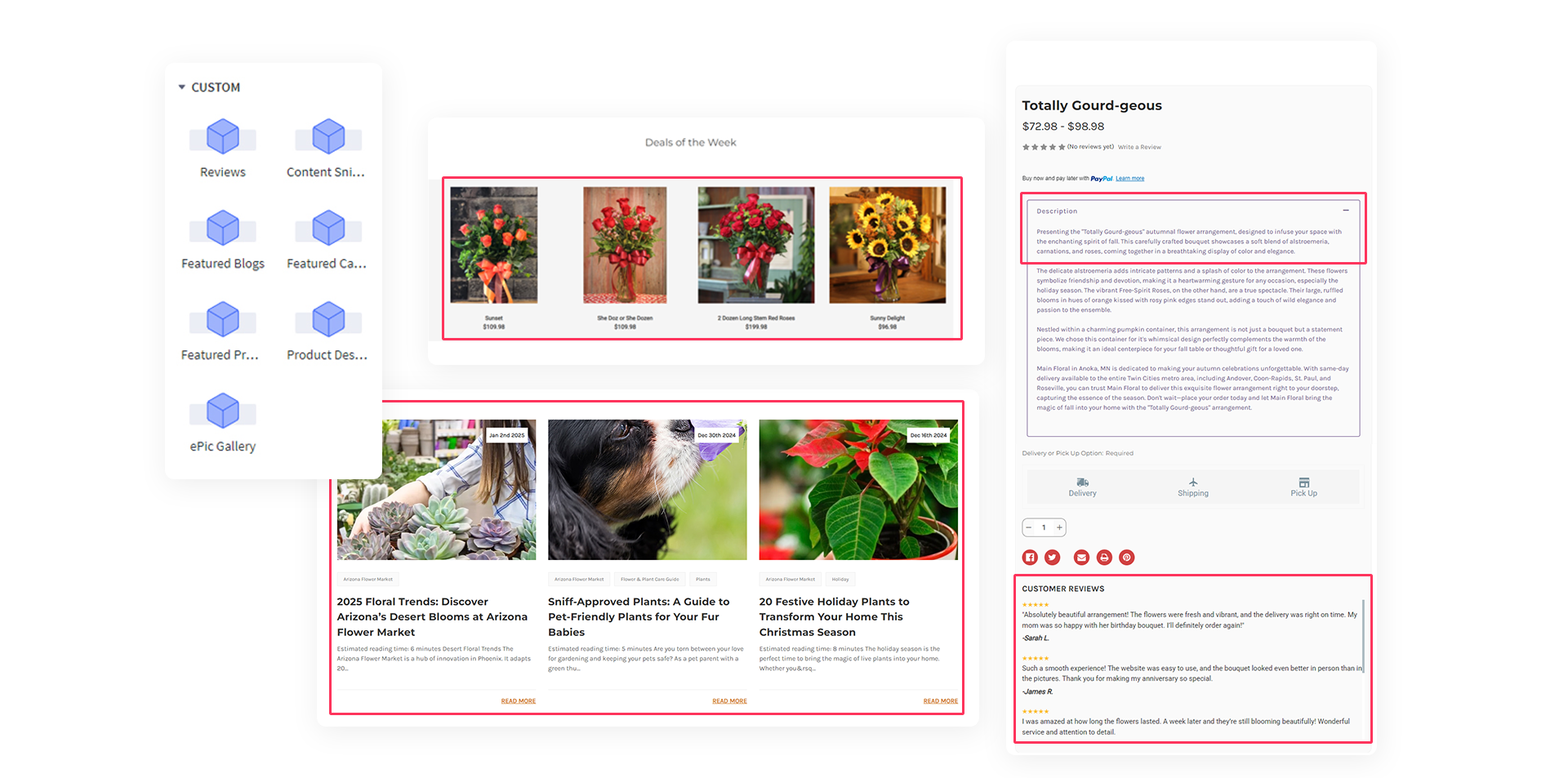
A pageBuilder Pro app shows to customized design widgets with added functionality like featured categories, products, blogs, image gallery, reviews, and more.
Custom design widgets with added functionality like featured categories, products, blogs, image gallery, reviews, and more. – This is Live

Allows for a better user experience so that you see an uplift in your conversion.

Custom card messages on the product page for the customer to choose from. – This is Live

Makes it easy for a customer to choose the right words on a message card so they get through the checkout faster.
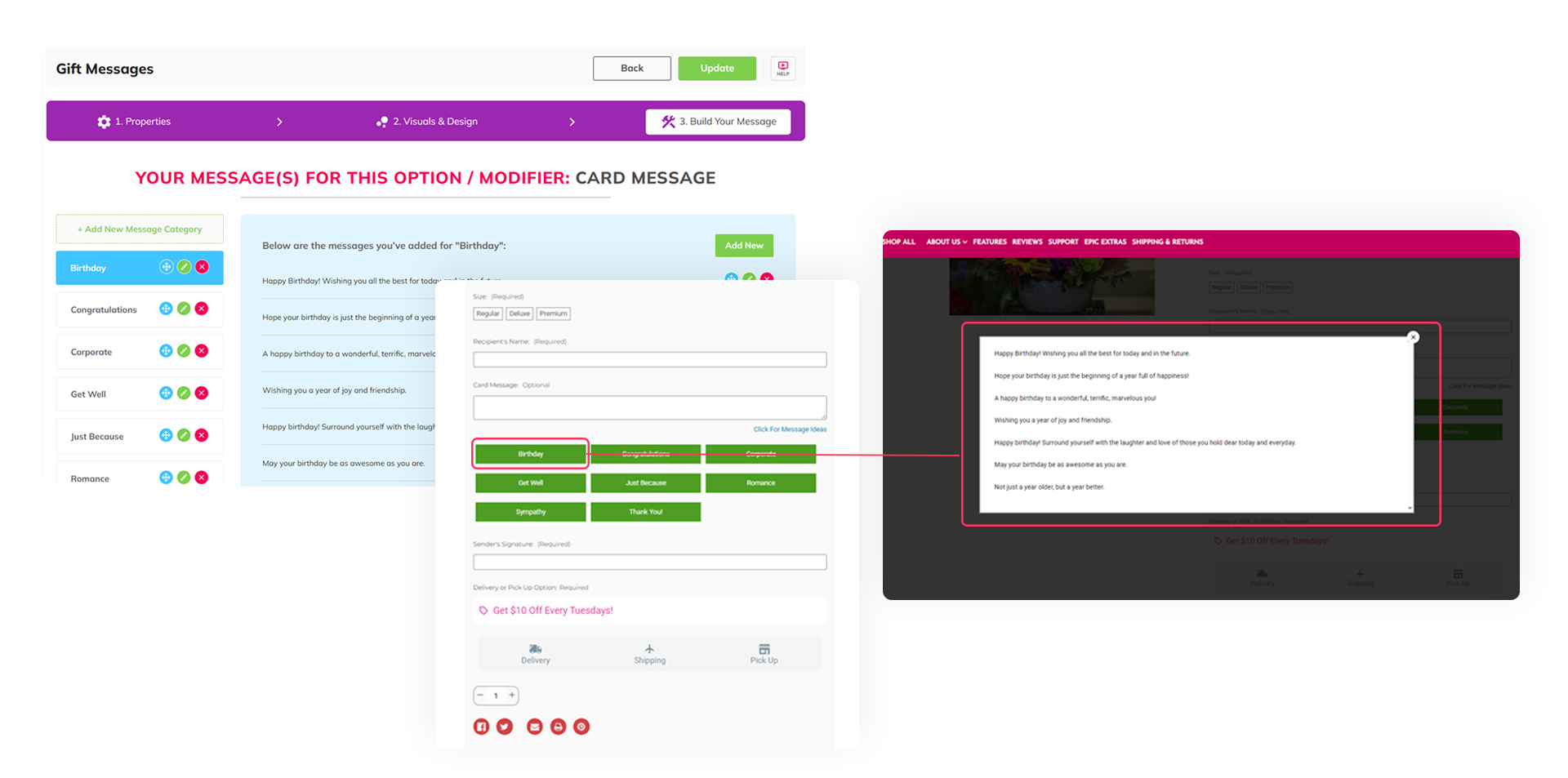
A pageBuilder Pro app's dashboard shows custom card messages on the product page for the customer to choose from
An epicApp popCards icon
popCards

Easily get attention of your customers
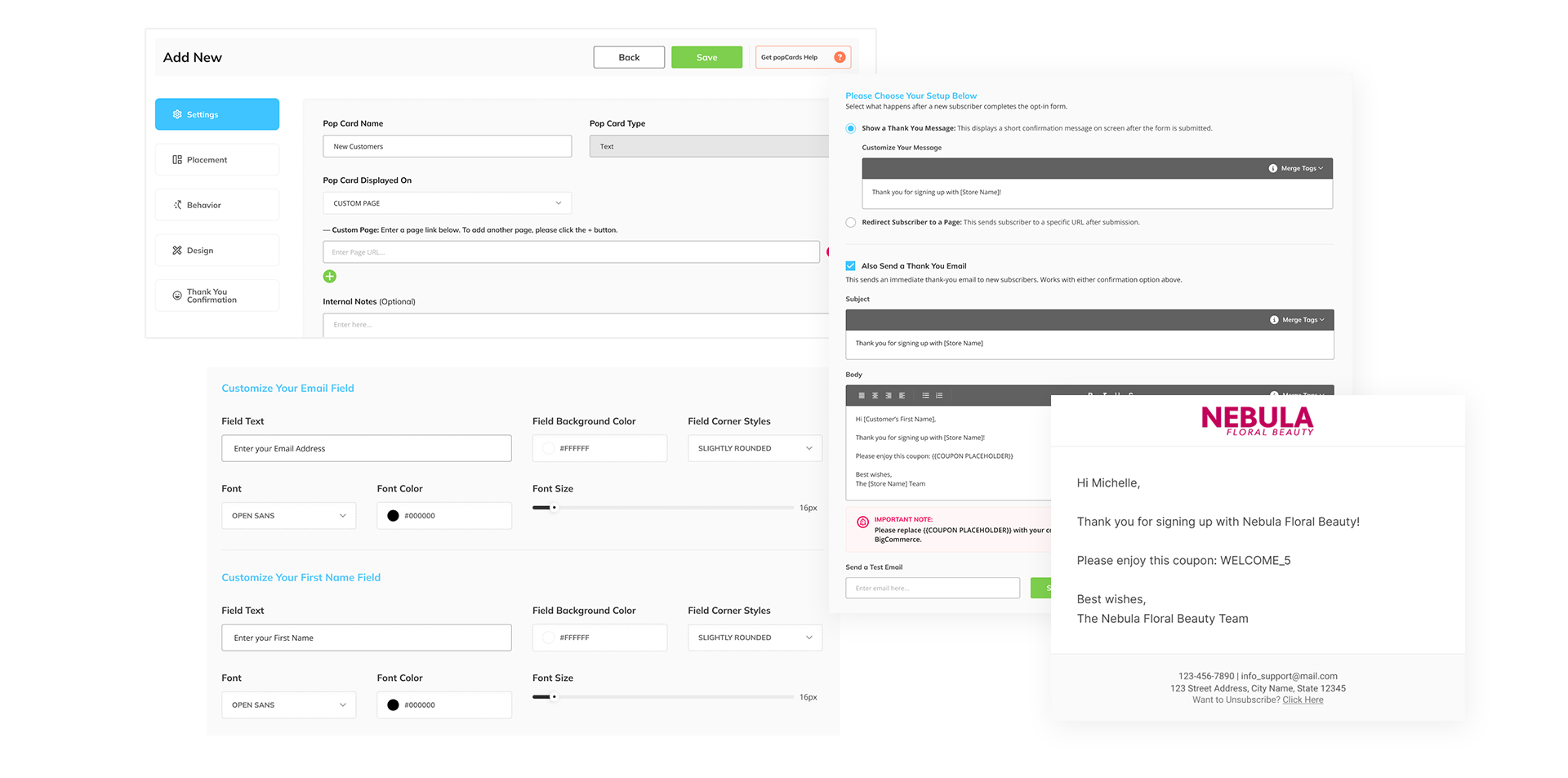
A popCards app's dashboard displays user interface updates, is easier to use, and offers better email options
User interface updates, easier to use and better email options. – Later This Year

Makes it easier for you to create custom messaging and gather email address.
An epicApp productAce icon
productAce

Control & merchandise your products to make money

Added the Featured Category under the Merchandising app. – This is Live

You can now manage the Featured Section on your homepage for better conversion rate.

productAce merchandising screen showing drag-and-drop reordering of featured flowers; “Sweet Unique” moved to slot 2.
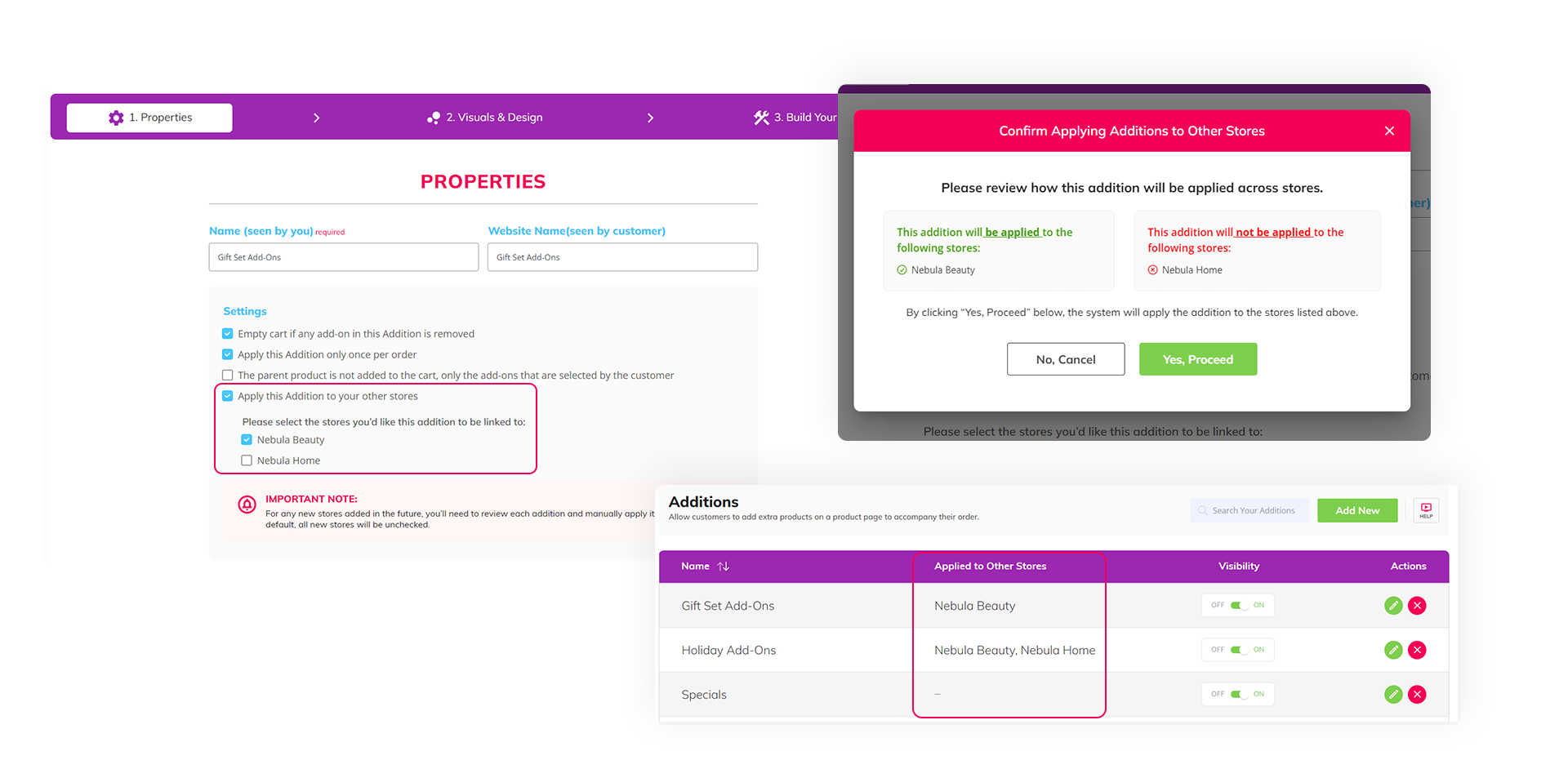
An epicSnap App dashboard shows that for Multi-storefront accounts, you can now sync your Additions, Superkits, and Upsell Magic to all of your stores in one place.
For Multi-storefront accounts, you can now sync your Additions, Superkits, and Upsell Magic to all of your stores in one place. – This is Live

Helps you save time by setting it up once for all storefronts.

Added an option to limit the quantity of each add-on/upsell. – This is Live

Prevents overselling and stock issues.

A productAce app shows an added option to limit the quantity of each add-on/upsell.
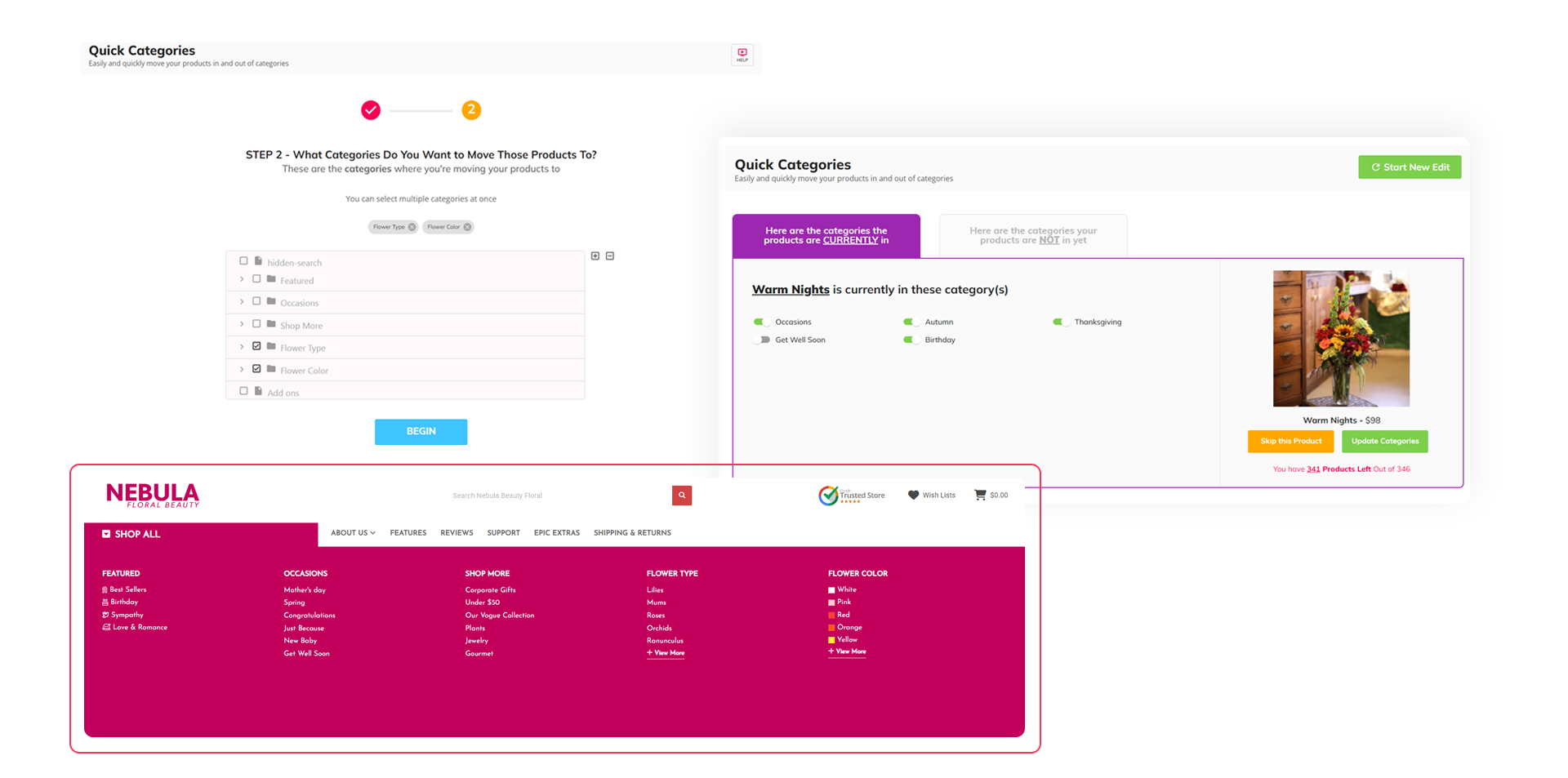
A productAce app's dashboard displays how easily and quickly move your products in and out of categories.
Easily and quickly move your products in and out of categories. – This is Live

Saves you a lot of time.

Manage visibility settings for Addition, SuperKits, and Upsell Magic. – This is Live

You can now easily turn on or off any type of add-on.
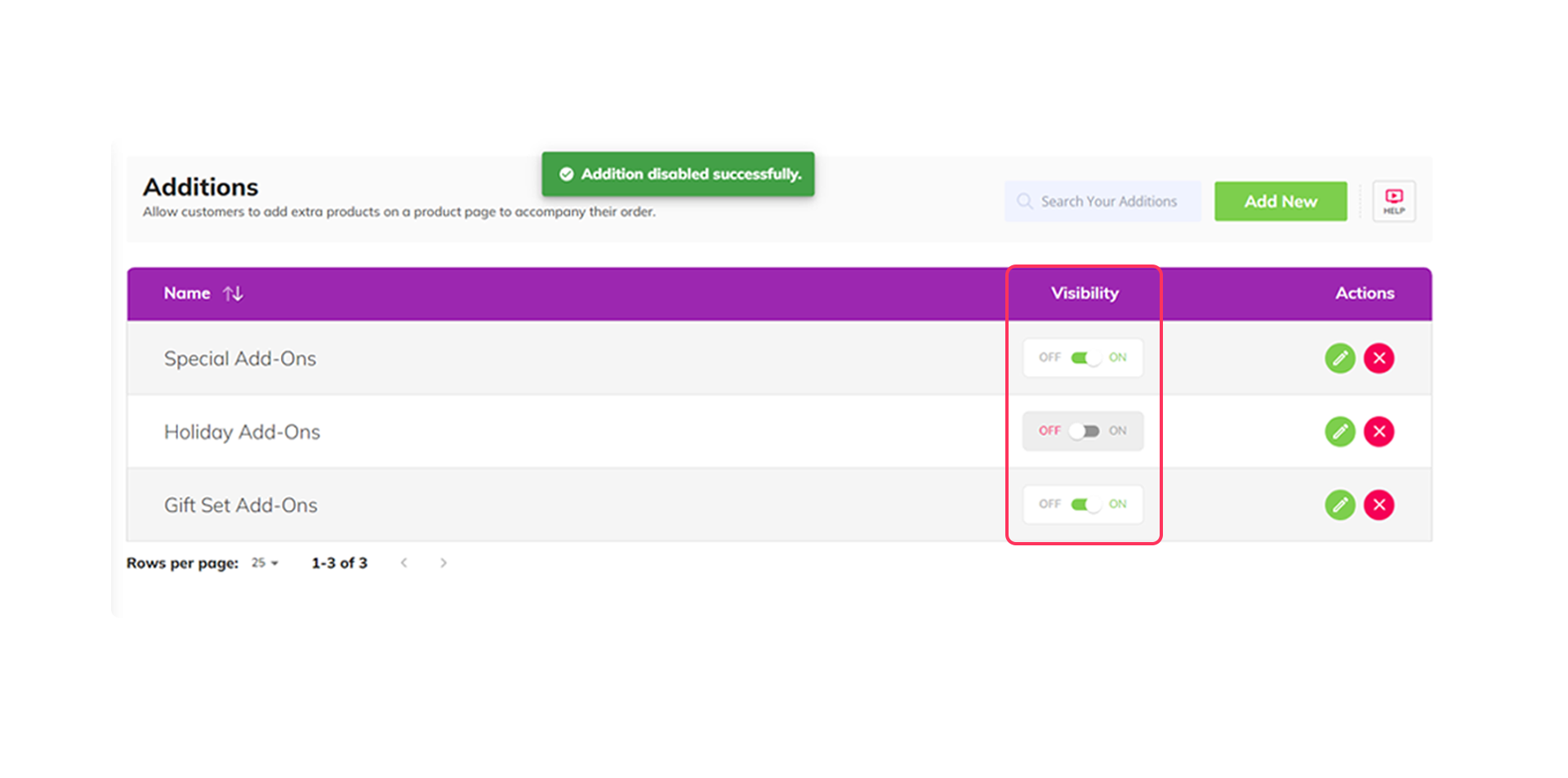
A productAce app's dashboard displays how to manage visibility settings for Addition, SuperKits, and Upsell Magic.
A pageBuilder Pro app's dashboard shows custom card messages on the product page for the customer to choose from
A productAce App dashboard displays how to add an option to limit the quantity of each add-on/upsell.
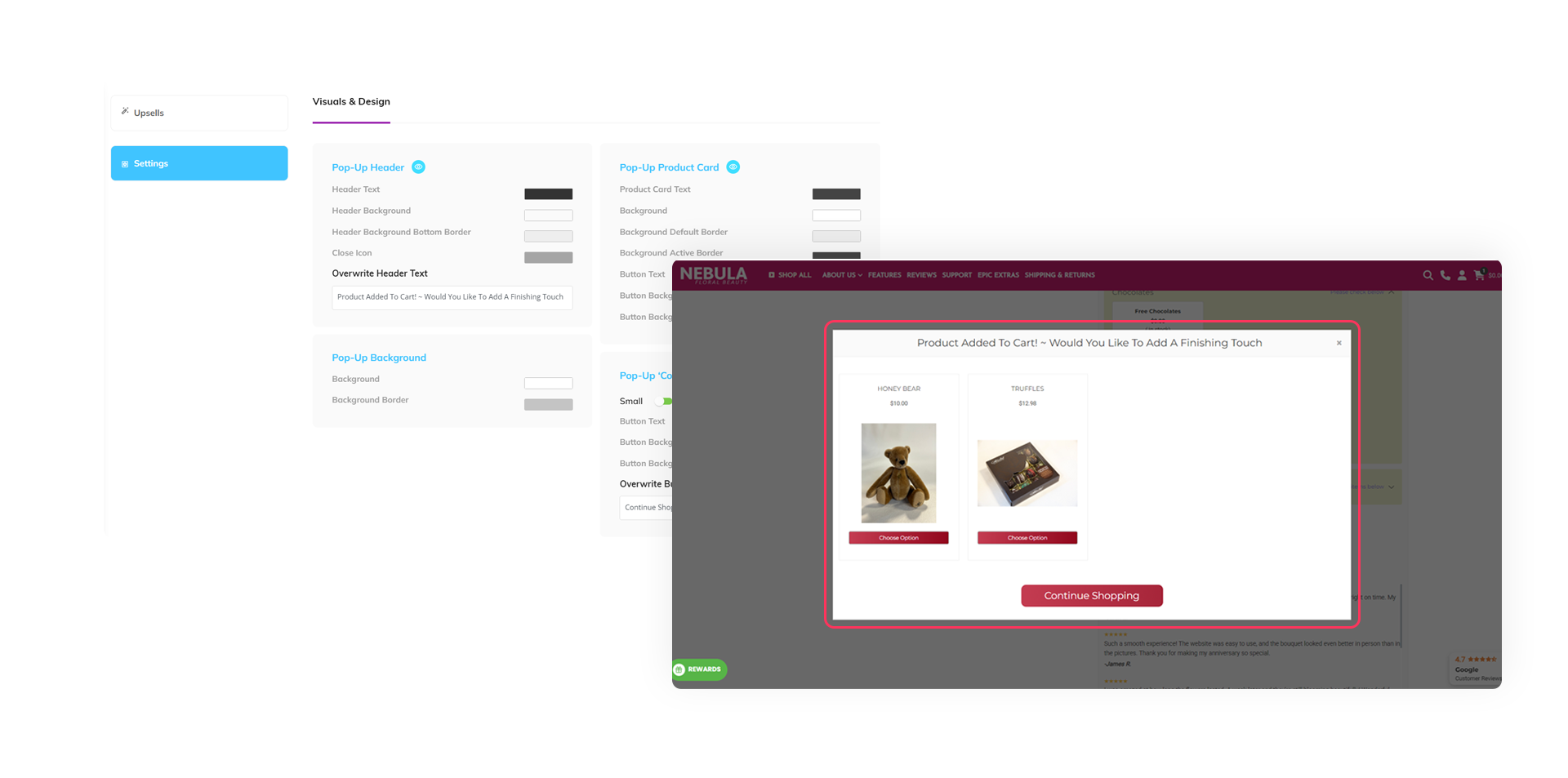
Added an option to design the Upsell Magic Modal. – This is Live

Flexibility in designing it the way you want.

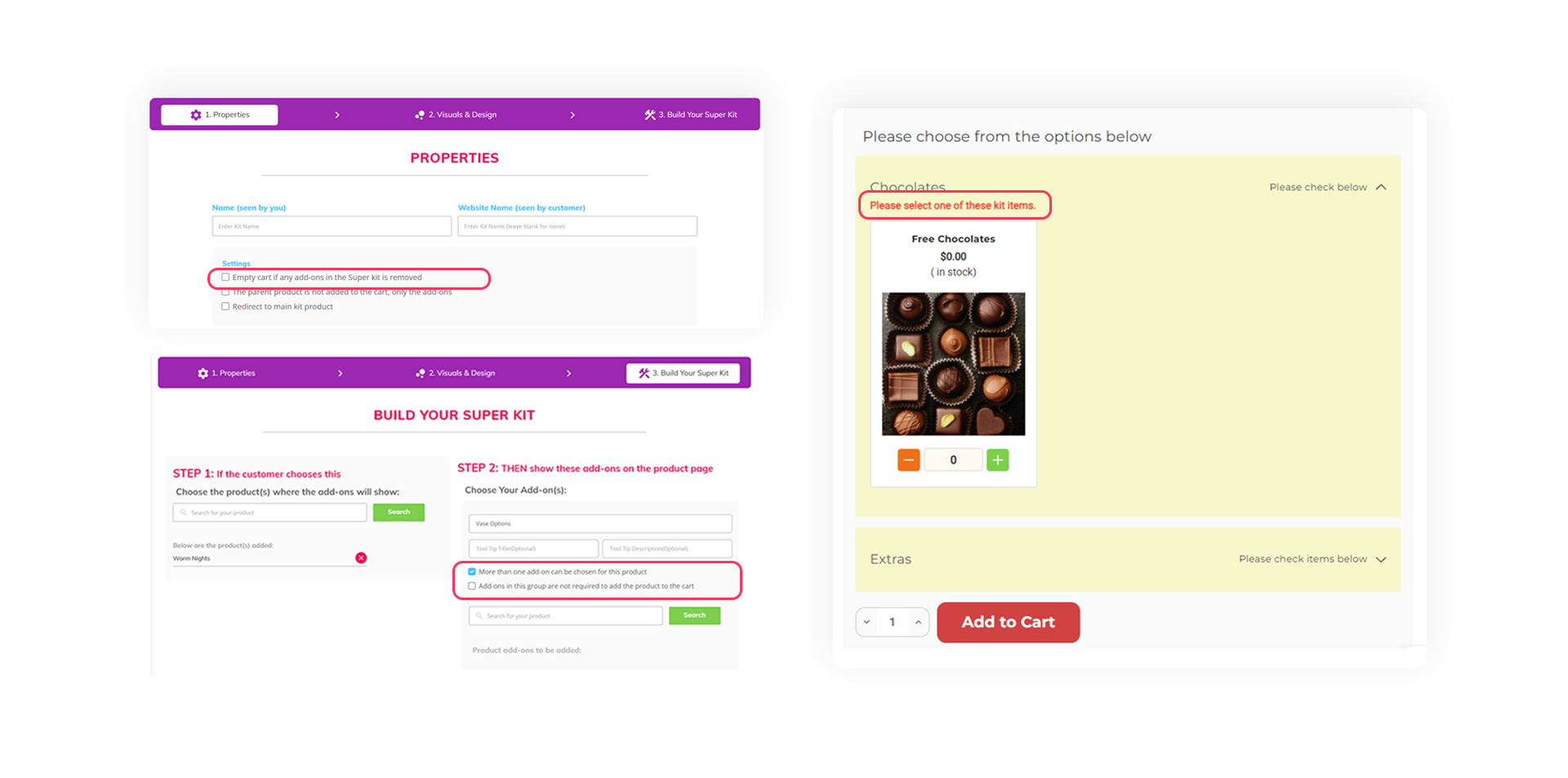
Added additional settings(Required or Optional, add-on limits, empty cart if an add-on is removed) in SuperKits. – This is Live

Customize and control the way you upsell your products.
$
A productAce App dashboard shows the additional settings(Required or Optional, add-on limits, empty cart if an add-on is removed) in SuperKits.

There's Even More...

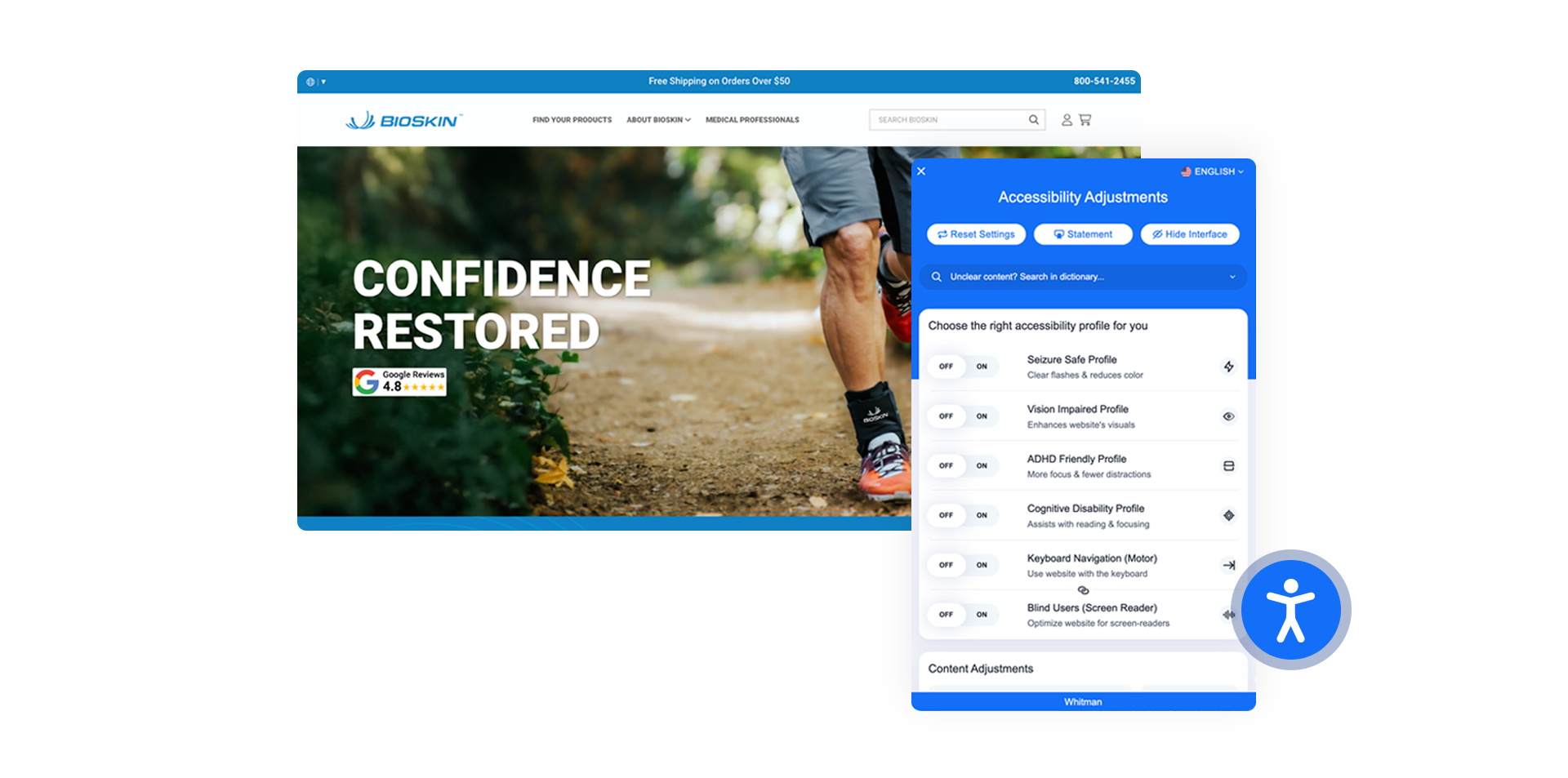
Accessibility widget on the BioSkin website showing profiles like Seizure Safe, Vision Impaired, and ADHD Friendly.
ADA Compliance Integration to protect you from unnecessary lawsuits. (if you don’t have this yet, contact Epic today)
Added new BC → POS Integrations
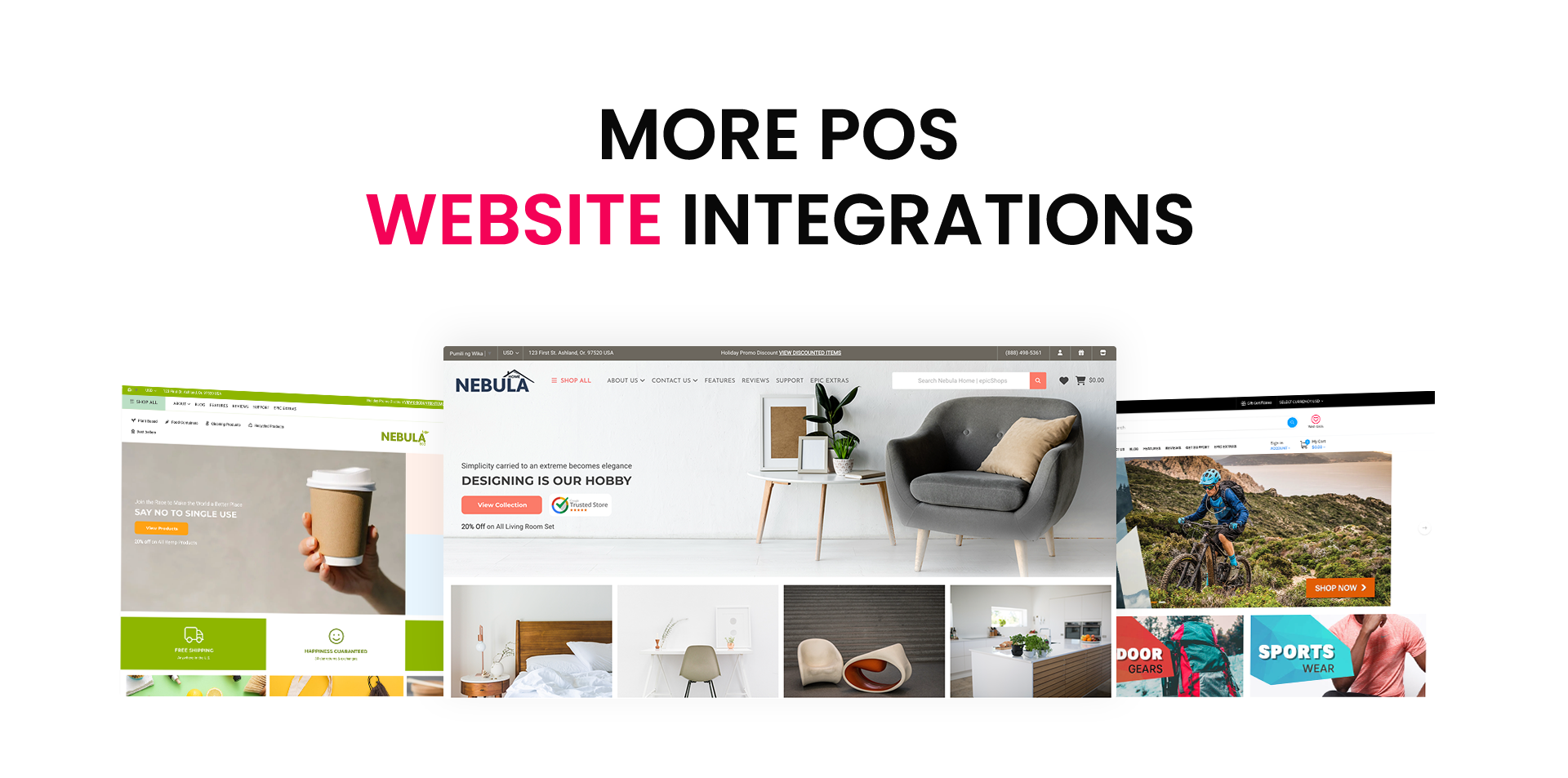
POS website integrations
Logo for the Klaviyo integration with POS MAS, featuring a modern design and brand colors.
POS MAS → Klaviyo Integration

You May Also Like…