


HELP CUSTOMERS FIND YOU FAST
eLocate makes it easy to map your business locations, partner stores, or service centers on an interactive store locator that lives right on your website.
PLUS
$39/month
0-75 Orders per Month
PRO
$89/month
76-200 Orders per Month
PREMIUM
$149/month
201-1000 Orders per Month
ENTERPRISE
$249/month
1001 - 3000 per Month
ULTRA
$349/month
3000+ Orders per Month
All Plans (Plus, Pro, Premium, Enterprise & Ultra) Include the Features Below:
- Full control over local delivery and pick-up options
- Shipping control for orders outside your store area
- Custom checkout options
- Preparation Time feature
- Countdown timer to encourage purchase
- Minimum amount purchase
- Customizable widget at product level or checkout page
- Charge customers extra for delivery on specific days
- Inventory Management Control
- Pick-up in-store order limit setting
- Rush Delivery option
- Zip Code Delivery limits
- Multiple Deliveries & Pickup Dates by Zones (on/off)
- Multiple Locations Management
- Seasonal Windows/Holidays with customizable dates
- Shared Modifiers in Bulk for Product Option Customizations
- Automatically add product/extra charges to cart
- FREE training and set-up support

FREE eLocate Set-up, Training, and Support
Epic strives to offer the best service to our customers
Get More with eLocal by Signing Up for epicComplete
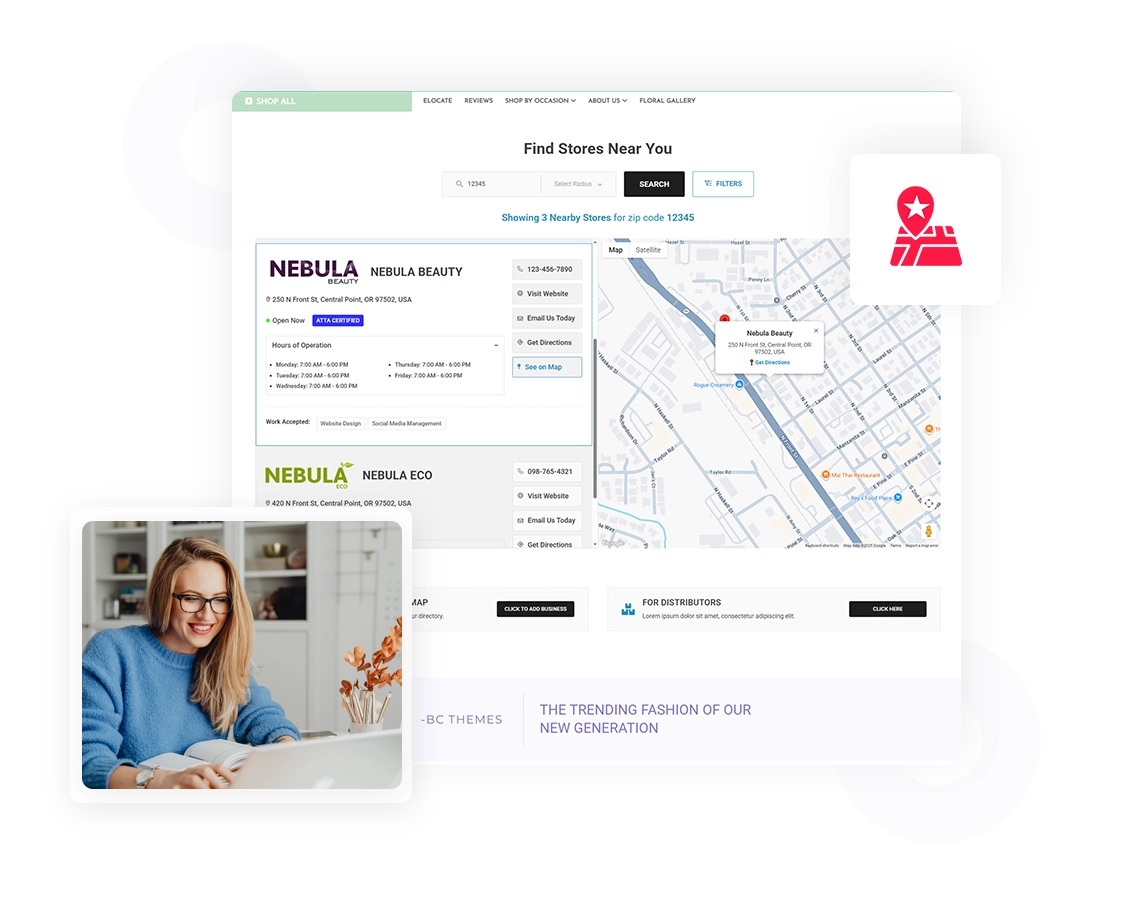
Make It Easier For Customers To Find You
eLocate helps customers quickly narrow down their options and find the location that best fits their needs.
Search nearby locations
Narrow results with smart filters
See important location details
Find the right location faster
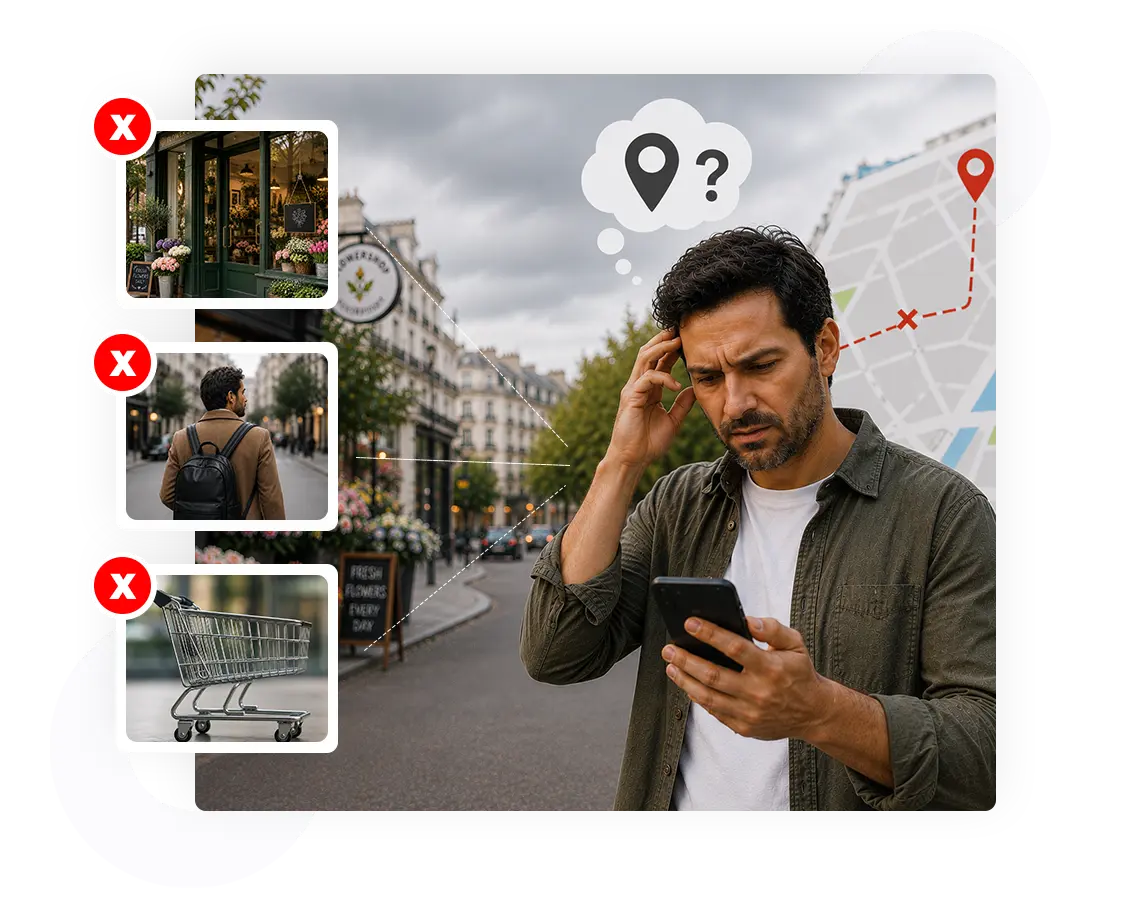
Don’t Let Customers Get Lost
If customers can’t find the right location, they may give up before they ever reach your business.
That can mean:
Lost sales opportunities
Fewer customers making it to the right location
Website visitors leaving without taking action

Help Customers Go From Search To Action
eLocate makes it easier for customers to find the right location, connect with your business, and take the next step toward your products and services.
How eLocate Works
1. Customers Find What Fits
Search by ZIP code, radius, and filters to find relevant locations.
2. Customers Take the Next Step
Give customers the details and actions they need to connect with your business.
3. You Turn Searches Into Opportunities
Make your locations easier to discover and give more website visitors a path to visit, contact, or do business with you.
Everything You Need to Get Found
Powerful features designed to help customers find your business.
Manage Your Store Locations
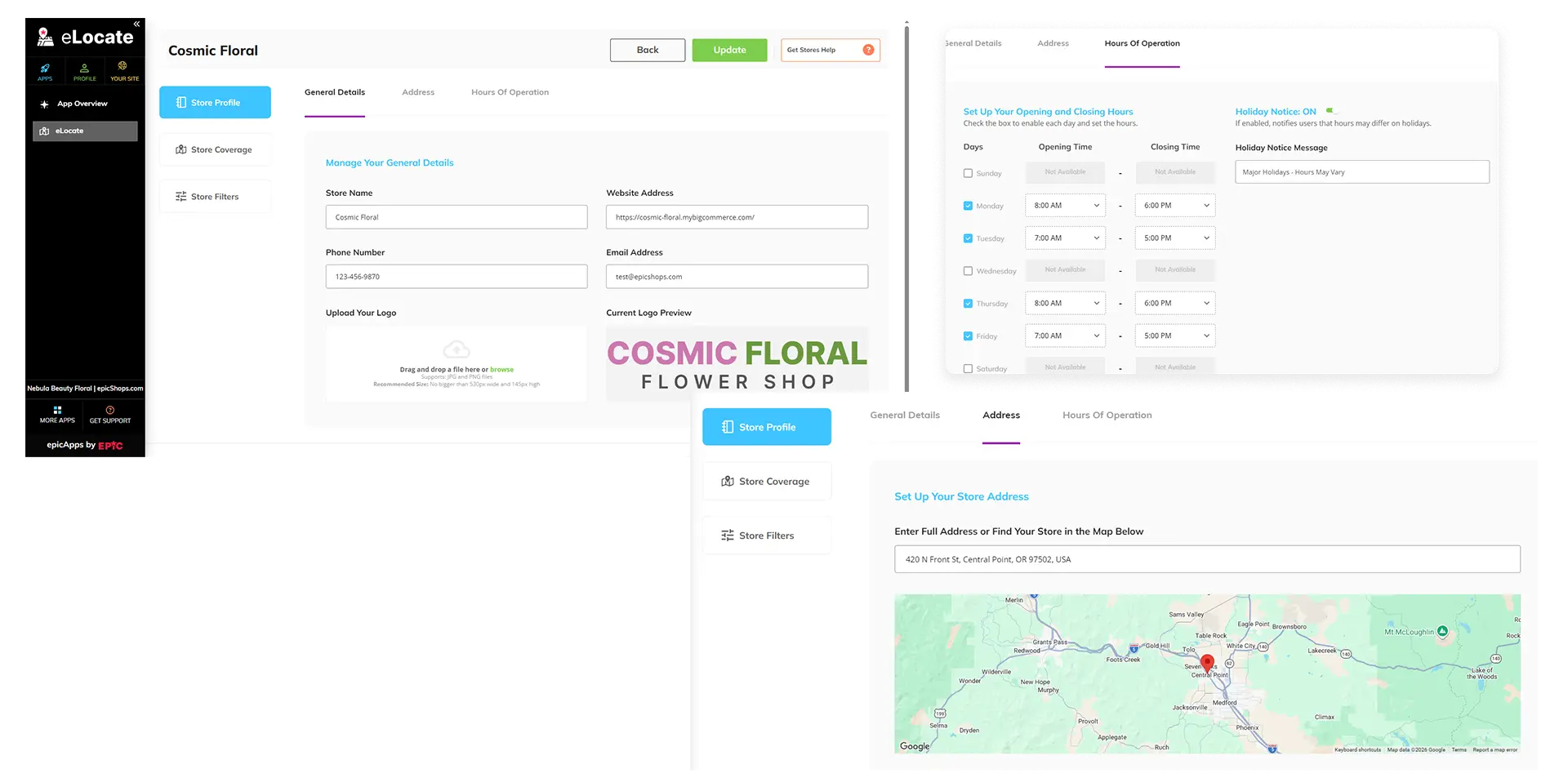
Keep all your location details organized in one place, from addresses and business hours to contact information, logos, and holiday notices.
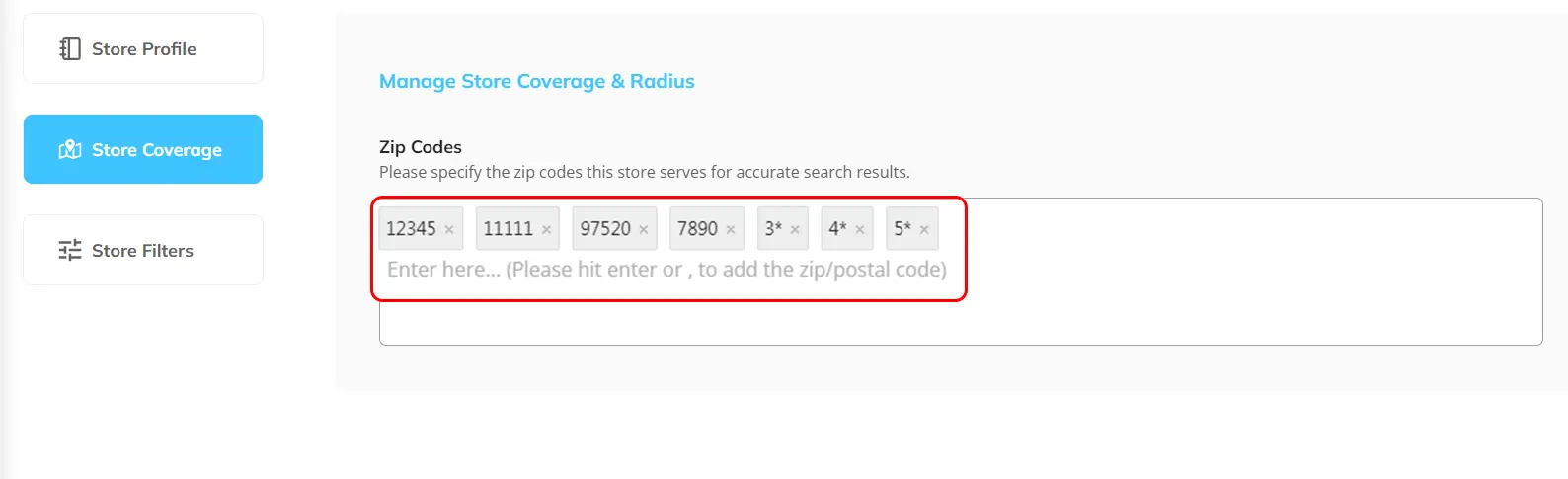
Define Where Each Location Serves
Assign ZIP codes to each location so customers can find stores, offices, or service centers that serve their area.
Help Customers Narrow Their Search
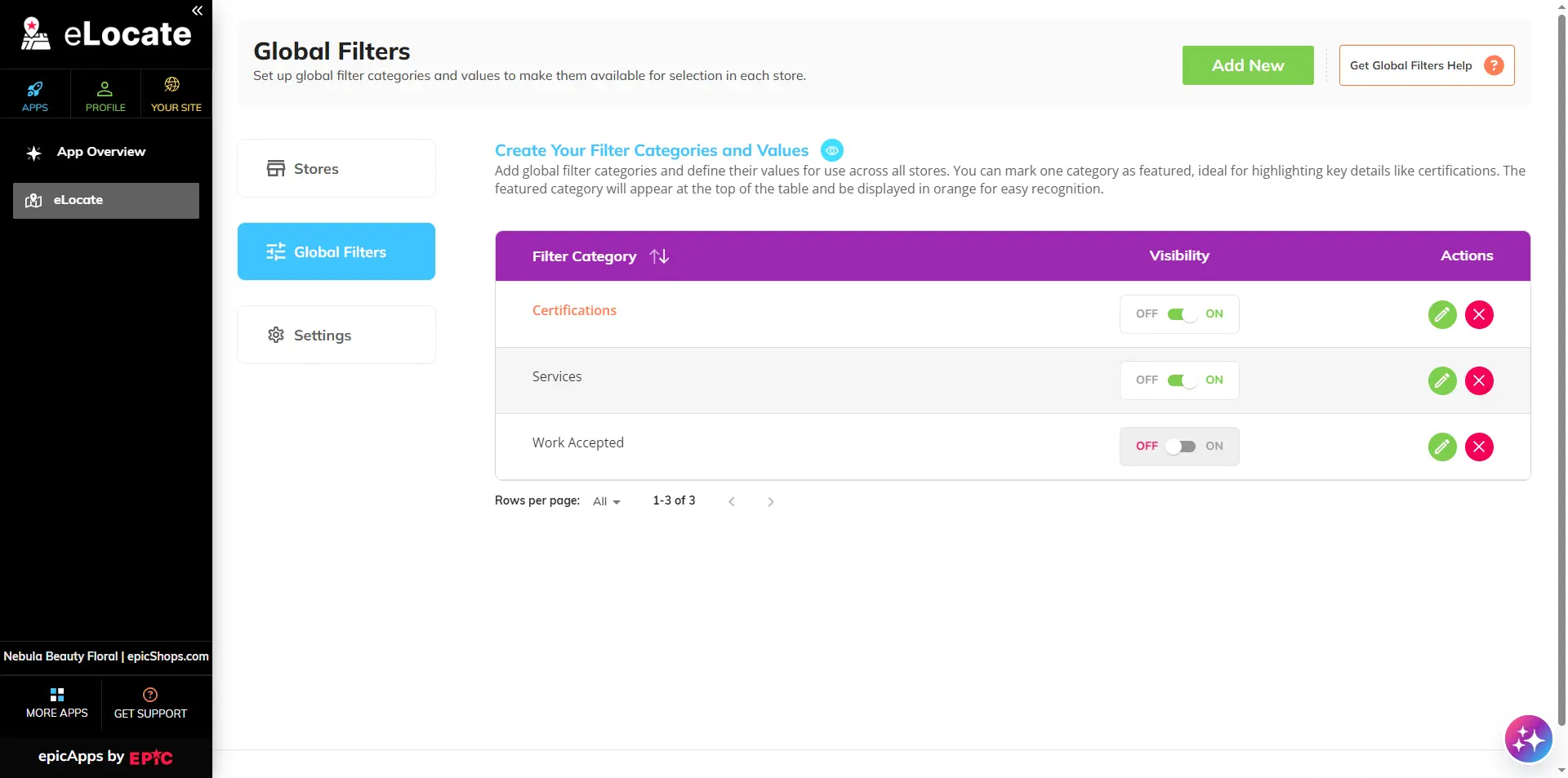
Create customizable filters for services, certifications, business types, products, and more—then assign the right options to each location.
Give Customers More Ways to Take Action
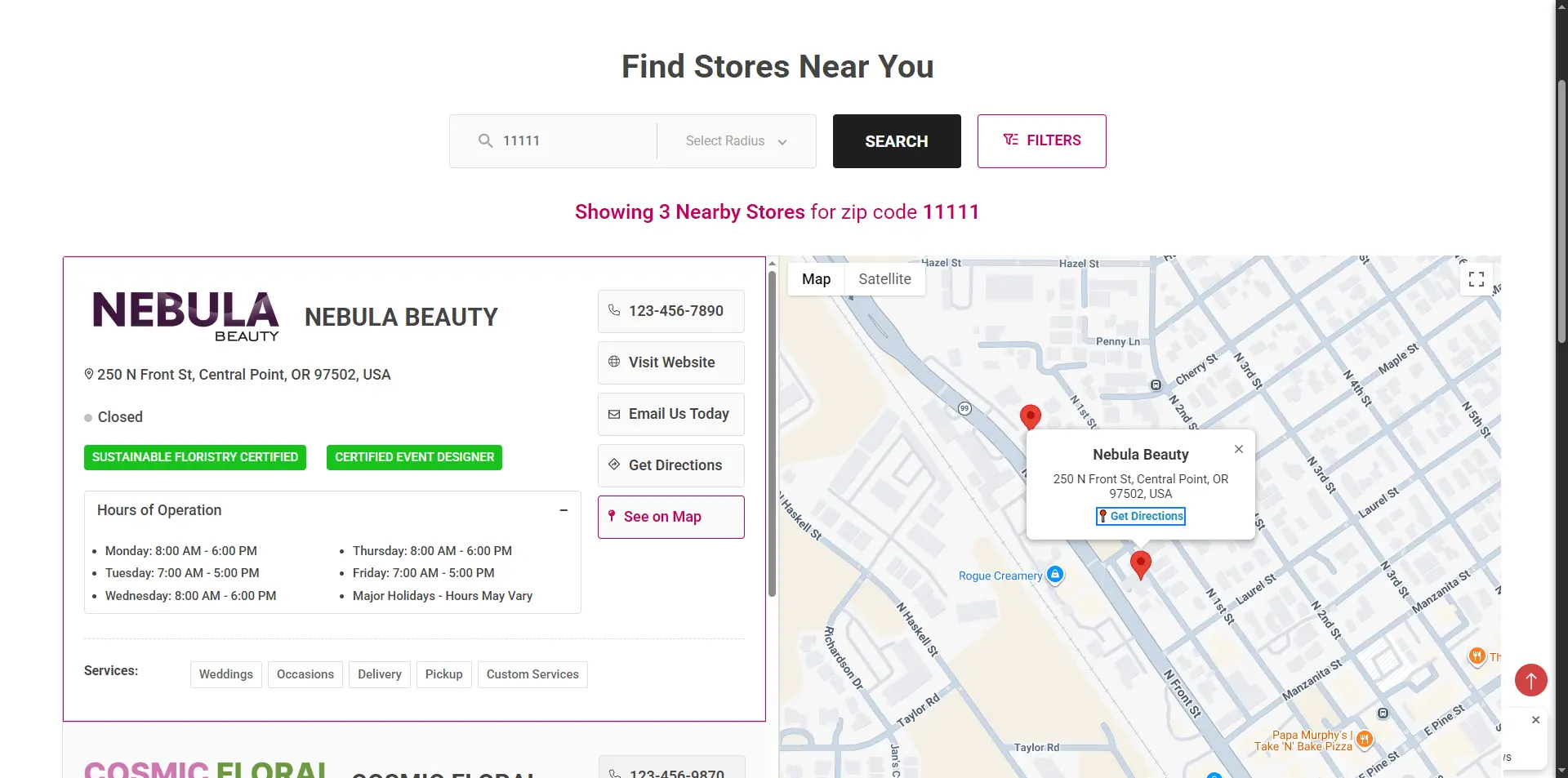
Turn location details into direct actions, with quick access to call, visit your website, email, get directions, and more.
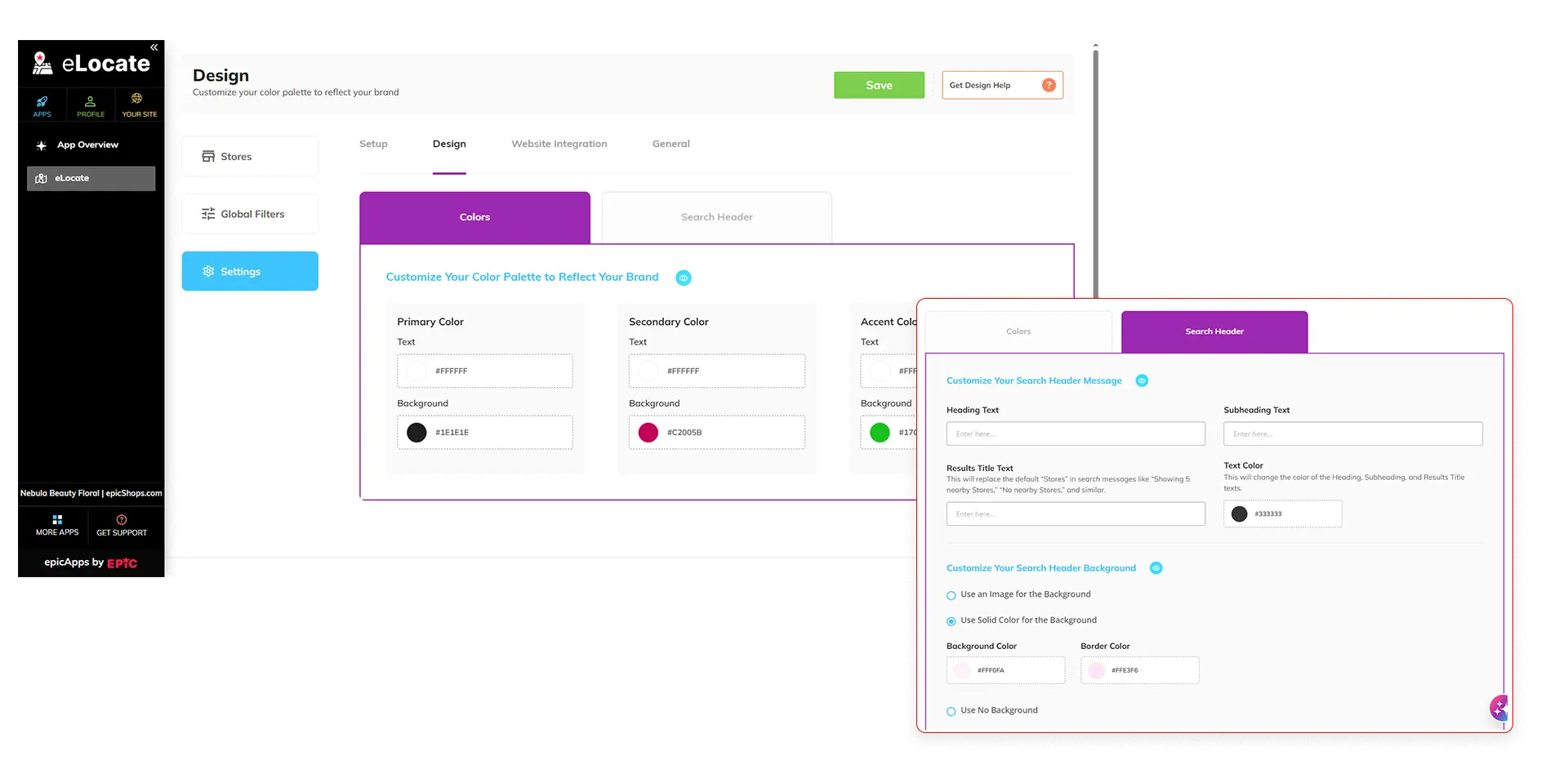
Make the Store Locator Your Own
Customize colors, messaging, and search header backgrounds to create a locator that feels like a natural part of your website.
Put Your Store Locator on Your Website
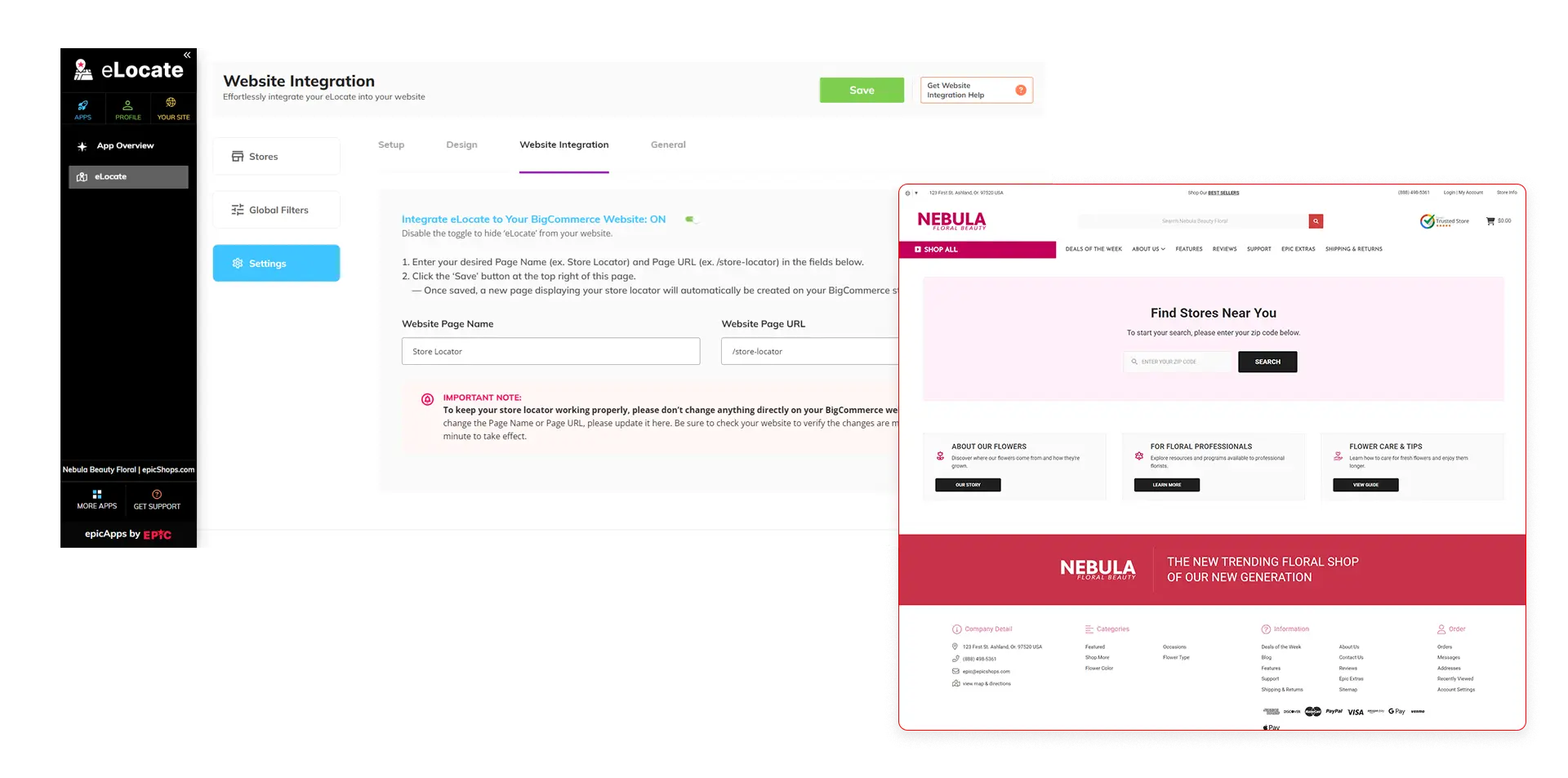
Add a complete, interactive store locator to your website with a simple setup—no additional coding needed.
Once connected, your customers can search for locations, explore them on the map, and access the information they need in one convenient place.
See eLocate in Action
Watch how eLocate helps customers find the right location and makes it easier for your business to manage them.
Do you have questions about setting up or managing eLocate?
Explore the eLocate Help Center for step-by-step guides, FAQs, troubleshooting articles, and video tutorials.
eLocate Frequently Asked Questions

FREE eLocate Set-up, Training, and Support
